 Peter Founder
Claude Design: 1,600+ Landing Page Combinations in 5 Minutes

In my last post, on the eCom Listicle playbook, I mentioned Claude Design.
Today, through a Coupon case, I’ll show you how to make A/B testing easy.
First, I gave it a direction: build a Coupon-type Social Lander, where users come in, see local deals, and get a coupon code through social viral interactions (share to unlock, invite friends, group buying and so on).
The result exceeded expectations. It quickly gave me 10 different social viral mechanics, each automatically adapted to 12 GEOs.
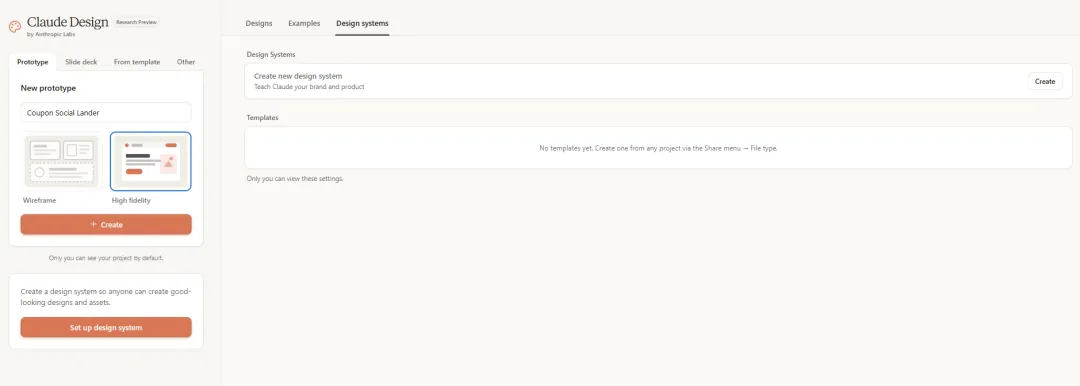
10 social viral mechanics
For the same Coupon Lander, Claude Design came up with 10 completely different ways to guide the interaction:
-
Share to Unlock — share to a social platform to unlock the coupon code. The most classic viral mechanic.
-
Refer a Friend — when a friend joins through your link, both sides benefit. Two-way incentive, spread through trust.
-
Group Save — gather enough people to share a discount together. Group-buying psychology, driven by social pressure.
-
Wishlist Builder — pick 3 categories to generate a personalized deal list. A curated feel.
-
Live Coupon Feed — a live scrolling feed of other users claiming coupons. FOMO.
-
Daily Drop — unlock a new deal every day, with rewards for consecutive check-ins. Retention.
-
Mystery Vault — pick one of 3 hidden cards to reveal a deal. Driven by curiosity.
-
7-Day Streak — check in 7 days in a row to unlock a big discount. The satisfaction of keeping a streak.
-
Trending Nearby — shows popular deals nearby, updated in real time. Geographic relevance.
-
Bundle Builder — combine 3 categories to unlock an exclusive discount. Build your own mix.
Each one has a completely different page structure, interaction logic and visual design. It’s not swapping colors and buttons; it’s swapping the entire user flow.

What is Claude Design?
Briefly: it’s a visual design mode Anthropic just launched. You describe what you want in natural language, and it outputs a working HTML page directly.
Not a screenshot, not a wireframe: a real page you can open in a browser.
The process for making the 10 variants above:
Step 1: Describe the need, get the first version
I told it to make a Coupon-type Social Lander: users see local deals and get a coupon code through social interaction. It quickly produced the first complete page.
Step 2: Edit directly on the page
For anything you’re not happy with, there’s no need to describe it all over again. Just click that element and say make the spacing a bit bigger, change this button to green.
It has live adjustment knobs: spacing, color and layout change with a drag. It’s about the same as working in Figma, but you don’t need to know Figma.
Step 3: Give it a reference screenshot, get a variant
I took a screenshot of a competitor’s page, threw it in, and said use this style as a reference for a second variant. It read the screenshot, understood the layout, and generated a new version in the same design language.
Step 4: One sentence, 10 directions
Tell it: based on the same Offer, give me 10 different social viral interaction mechanics. It produced the complete list of variants in one go, each as a standalone HTML file.
Step 5: Localize for 12 GEOs
This is the most interesting part: one page splitting into many regions. Anyone who runs offers regularly knows how much easier this makes A/B testing.
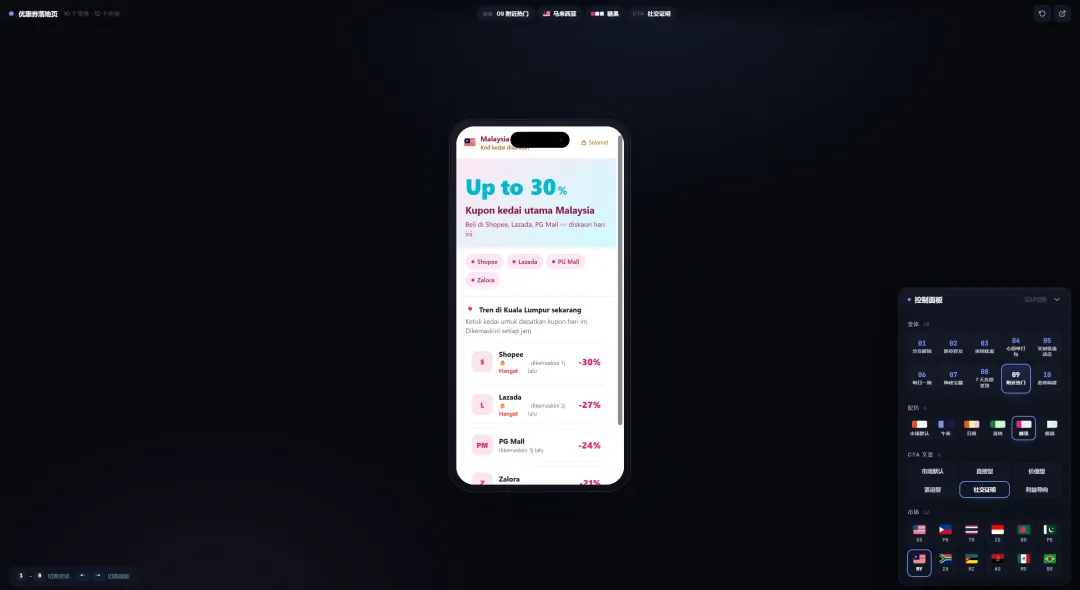
Automatic localization for 12 GEOs
I gave it 12 target GEOs: US, PH, TH, ID, BD, PK, MY, ZA, MZ, AO, MX, BR.
Claude Design automatically adapted the following for each GEO:
Store names:
The US version shows Amazon, Walmart, Target, Best Buy, Macy’s
The PK version shows Daraz, Telemart, iShopping, Yayvo
Not filled in at random: these are the real e-commerce platforms in each GEO.
Currency and discounts: the US version shows -50%, the PK version shows 30%-. Symbol position and number format both follow local conventions.
Language: the PK version switches to Urdu automatically. RTL (right-to-left) layout is handled automatically too, a detail that used to need dedicated front-end work.
Cities: the US version says Trending in New York right now, the PK version Trending in Karachi right now.
Payment methods and local brands: every market has different local payment options and retail brands, and it matched all of them automatically.
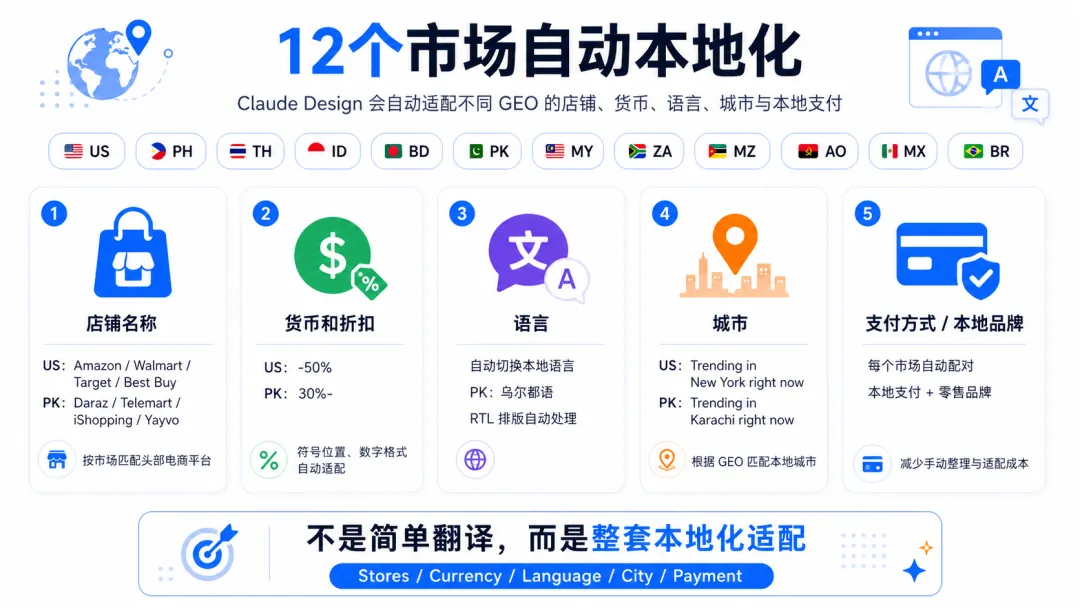
1,600+ permutations and combinations
10 social viral mechanics × 12 GEOs = 120 base pages.
Layer on color schemes (3) and CTA copy variants (3-4), and the total comes to more than 1,600 combinations.
That used to be an impossible amount of work. Now it’s one conversation.
And what Claude Design outputs isn’t a design mockup that needs reworking: every variant comes with its own CSS and JS, with no dependency on external frameworks.
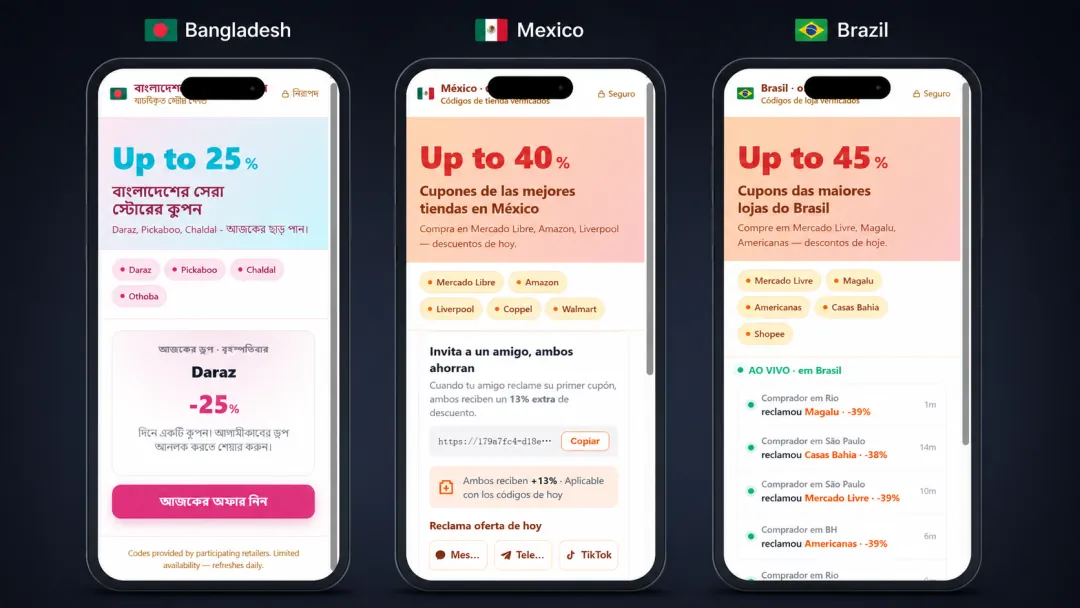
Why this kind of testing matters
If you put this skill to use in rapid testing, it matters a great deal.
When we run ads, we do a lot of batch testing of creatives and offers, and relatively little changing or A/B testing of Prelanders/Landers.
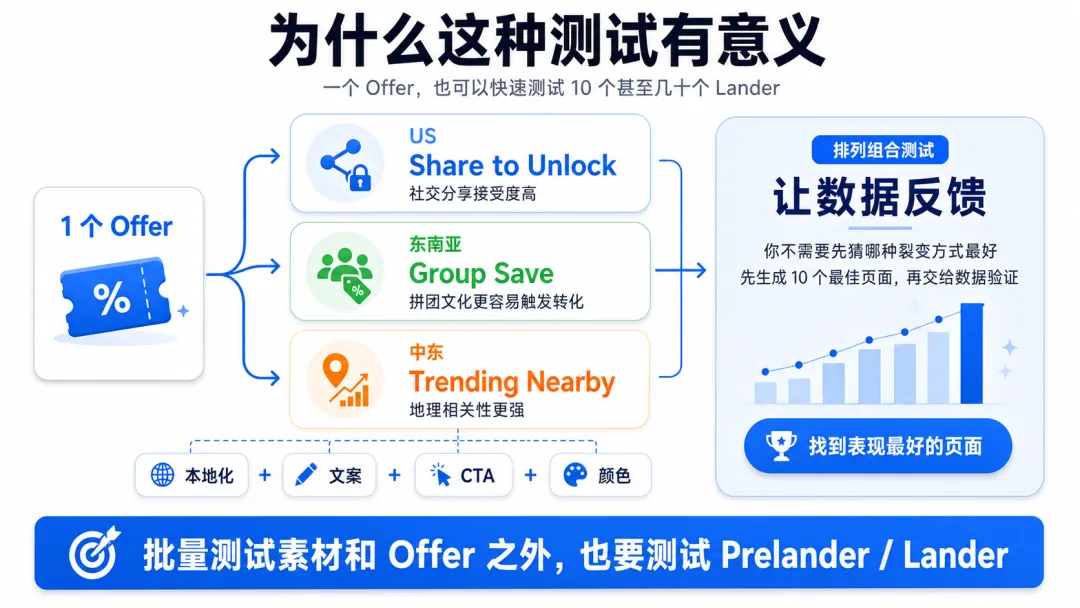
If you add this approach, you can test 10 or even dozens of Landers on a single Offer at the same time, without spending much time.
In this Coupon case:
US users are receptive to Share to Unlock; social sharing is a habit.
Southeast Asian users may respond more to Group Save; group-buying culture runs deep.
Middle Eastern users may react better to Trending Nearby; geographic relevance is strong.
You don’t know which viral mechanic performs best in a given GEO. The only way is to combine localization, copy, CTA and color, work through the permutations, finish 10 pages first, let the data give you feedback, and gradually find the best-performing set.
Automatic deployment and batch testing
Deployment:
Once you’re happy with these pages, you can move on to automatic packaging and upload
Push to GitHub → Cloudflare Pages deploys automatically → bind a custom domain.
They’re free, with a global CDN and SSL configured automatically. Every time you change the HTML, you just git push and it updates automatically.
Tracker integration: embed the JS tracking code in the HTML, or call the API to add each batch of pages automatically.
A/B testing: each viral mechanic runs in its own Ad Group in each GEO, same budget, same targeting, and you look at the data after 3-5 days.
Cut the poor performers, keep 2-3 Winners, and fine-tune based on the Winners.
One last word
It used to take half a day to make one Prelander, one version ran in every region, and when the numbers were bad you could only blame the Offer.
A lot of the time I couldn’t even be bothered to make changes; pages from SPY tools went straight up for testing.
Now, within 5 minutes, you can have:
10 viral mechanics × 12 GEOs × 3 color schemes × 5 copy variants, with automatic deployment and launch.
The moment you get your hands on it, you’ll understand how much it boosts your media buying efficiency.
New articles and quick notes from Peter.