 Peter Founder
AdsPower Antidetect Browser: My Must-Have Tool for TikTok Ads

After several days of Facebook talk, today is a change of pace. Let me introduce one of my must-have tools for going global: the AdsPower antidetect browser.
Everyone running TikTok ads runs into the same problem: accounts are getting harder and harder to warm up, the environment keeps getting stricter, and your ROAS doesn’t die on the creative, it dies on “unstable accounts”.
In this environment, AdsPower is more like “base infrastructure” for me. It’s what lets me actually get TikTok ad accounts running.
Next, let me walk you through getting TikTok ads running with AdsPower, step by step. First, they give you 2 browser profiles that are free forever. If you’re running ads too, you’re welcome to sign up through my referral link:
New users get 10% off the first month: invite code peteryang
Sign-up link: AdsPower sign-up link
① Create a browser profile (the most basic step, and the most critical)
Open AdsPower → click “New Profile” in the left panel
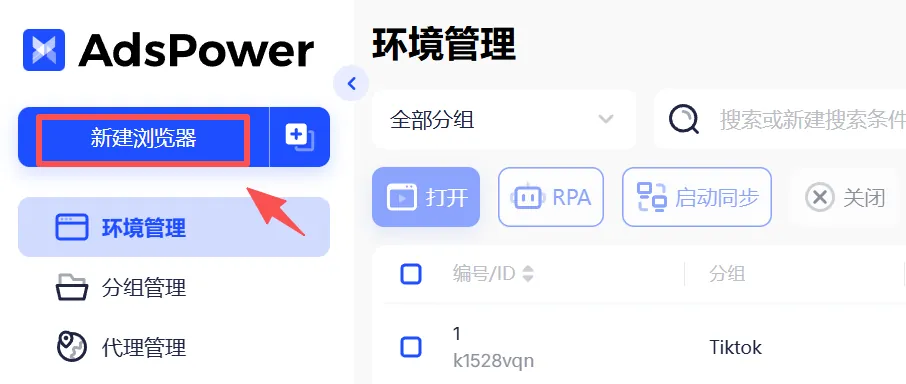
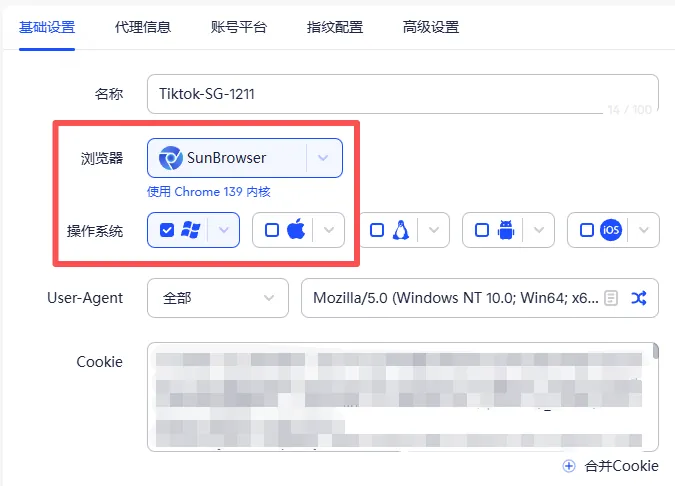
Name: Tiktok-SG-1211
To keep things easy to manage, set up groups first, for example TikTok and Facebook. Here SG matches the region of my TikTok account, and 12.11 is the creation date.
Browser and operating system: you can copy mine as they are, SunBrowser Chrome 139 + Windows 10. It supports almost every desktop and mobile device on the market.
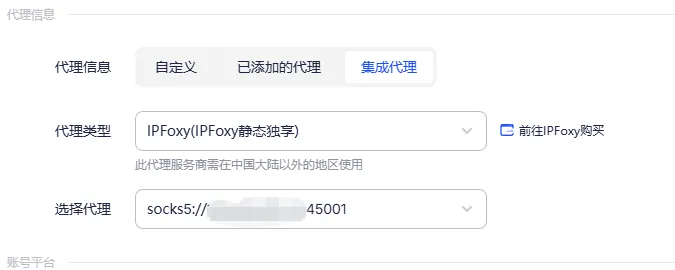
② Proxy: you can set a custom proxy or add one; here I used the integrated proxy
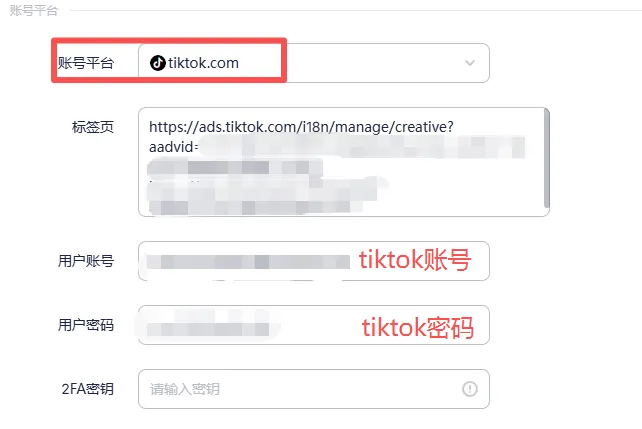
③ Link your TikTok ads account
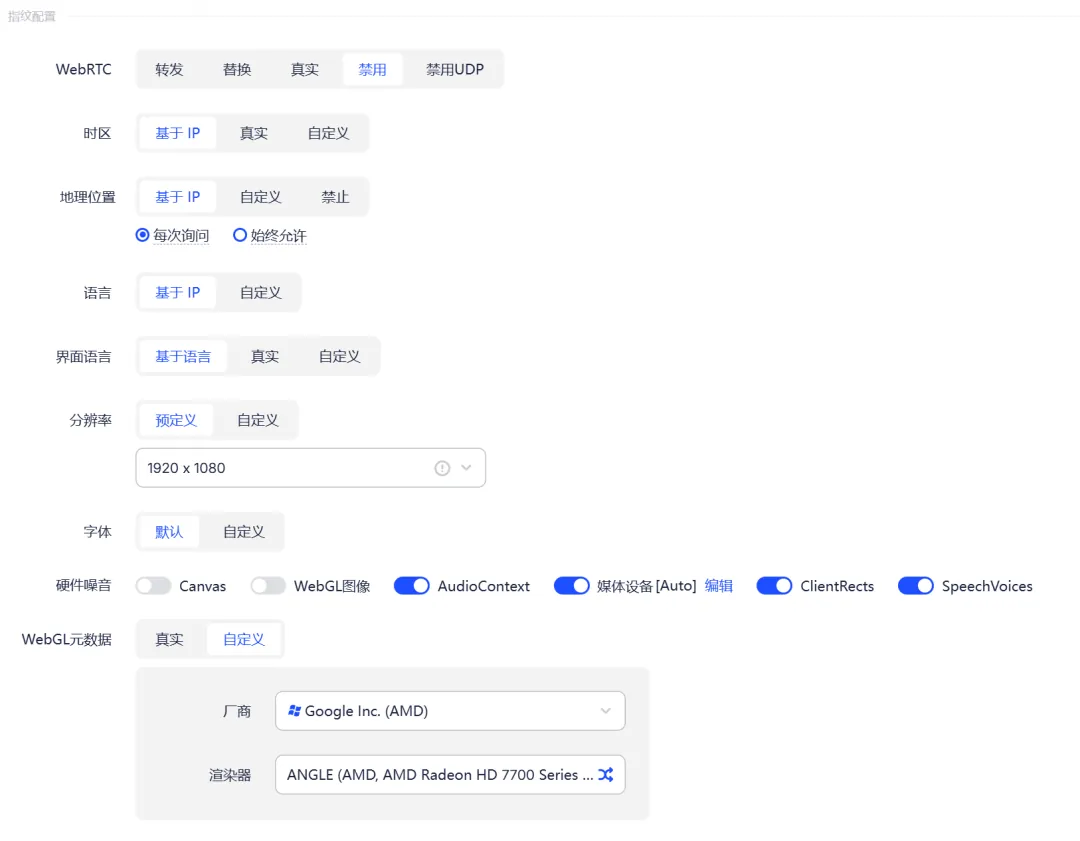
④ Fingerprint configuration: adjust it dynamically as needed, or just copy my settings.
⑤ Things to note: before running the profile, go back to Proxy Management, check the proxy and make sure your local connection is in global mode.
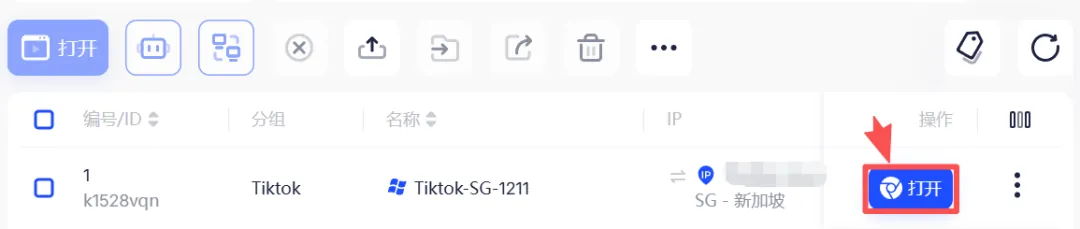
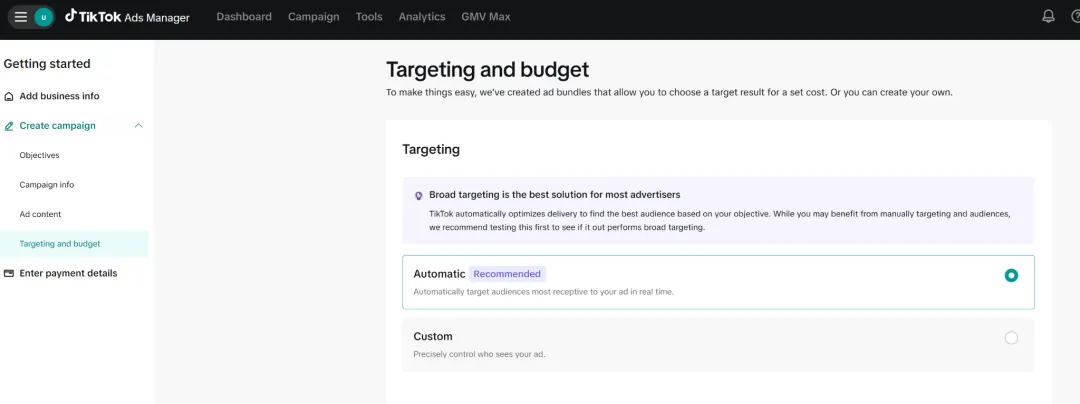
⑥ Launch the TikTok account: with AdsPower, your ad-buying journey begins
New articles and quick notes from Peter.