 Peter Founder
Multilogin: An Essential Anti-Detect Browser for Facebook Ads
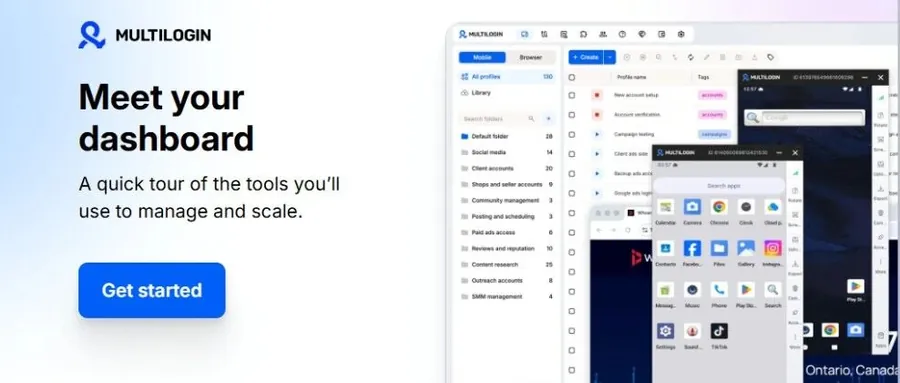
Multilogin anti-detect browser
Hi, I’m Peter.
Anyone running FB ads knows that creatives and bids come later; the environment is the first hurdle.
The Multilogin anti-detect browser I’m introducing today is built to clear exactly that hurdle. I ran the free version through a real session, and I’ll focus on where it differs from the tools I normally use.
01 What is Multilogin
An anti-detect browser that has been around since 2015, which puts it among the oldest names in this category.
The core idea is to give every account its own browser profile (Profile): its own fingerprint, its own cookies and local storage, its own proxy exit. To the platform, each profile is a separate device, and even with all of them open on the same computer, the accounts don’t contaminate one another.
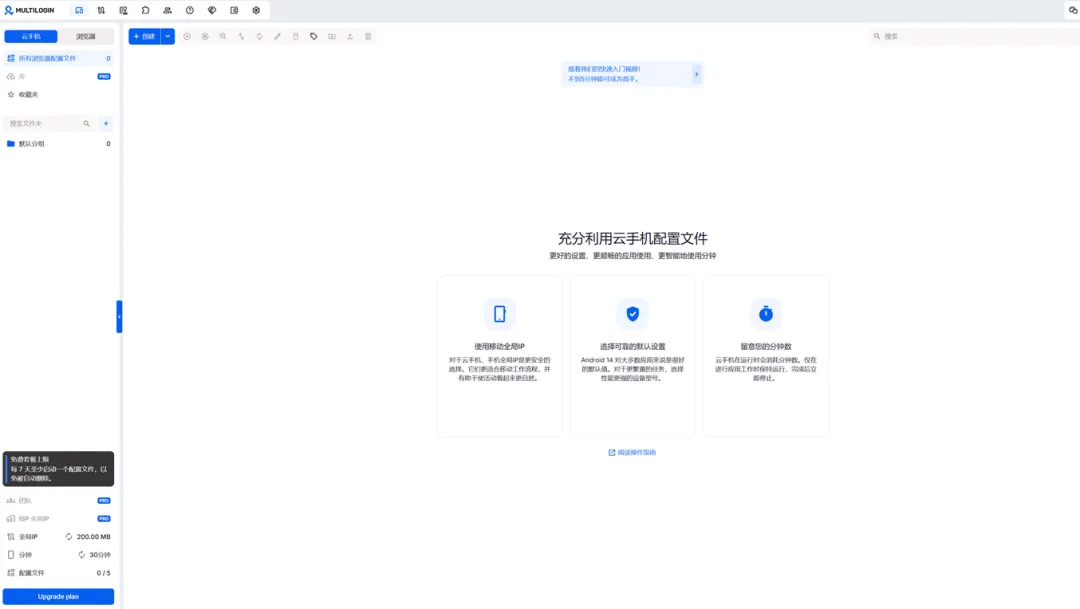
Free plan dashboard: the bottom-left corner shows the quota, 200MB of global IP traffic, 30 minutes of cloud phone time, 5 profiles
02 Built-in global IPs: location selectable down to city and carrier
This is the part that impressed me most in testing.
Multilogin’s global IPs are built right into the product: when creating a profile, choose the connection type, residential, cloud phone or ISP, and pick the location starting from country and going all the way down to region and city; you can even specify the carrier.
Protocol is SOCKS5 or HTTP, and there’s a sticky session option that keeps the exit on the same IP for as long as possible.
I tested one at random: country Morocco, region down to Marrakech, ISP set to the local carrier Inwi. One click on “Check global IP”, the test passed, and the readout even showed the time zone: Africa/Casablanca.
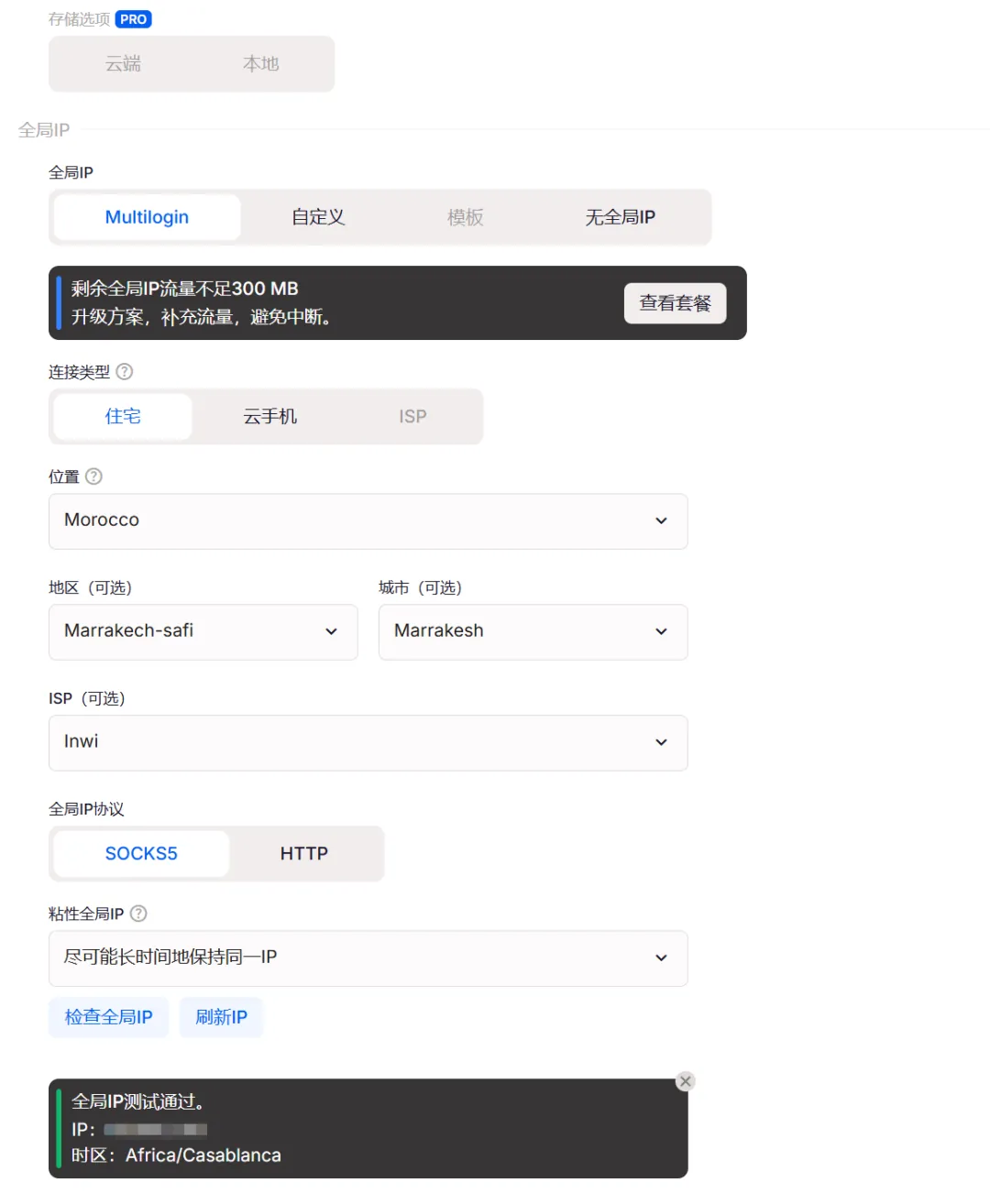
Country → region → city → ISP picked straight from cascading dropdowns; a one-click test even echoes back the time zone
For anyone running multiple GEOs, this is a real efficiency gain.
My GEOs normally span several continents. In the past, every time I switched country I first had to confirm proxy coverage and quality, then bring back a string of addresses, ports and credentials and fill them in one by one; now I pick from a dropdown, and the traffic comes straight out of the plan.
And on the fingerprint page, the time zone defaults to masked mode and follows the exit IP automatically. Time zone not matching the IP, the most common problem of all, is blocked at the mechanism level.
I went through the fingerprint page while I was at it: WebRTC, time zone, language, resolution, fonts, Navigator and WebGL are all masked by default, Canvas and WebGL graphics can be switched to noise, and 20-plus parameters can be adjusted by hand. The default configuration is sensible; you can use it as is without fiddling.
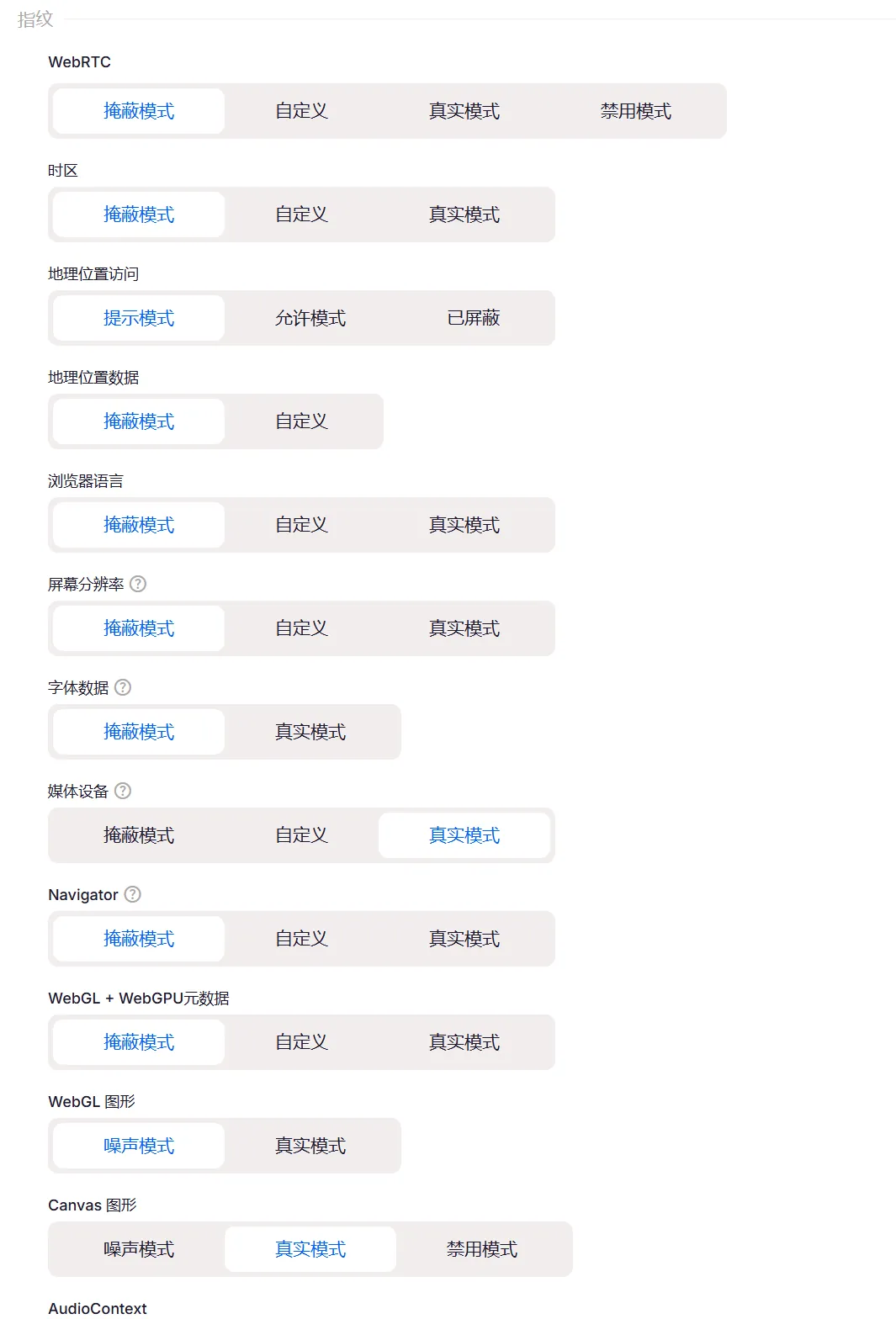
Fingerprint settings page: masked mode by default, 20+ parameters adjustable by hand
03 A few other capabilities useful for running FB
Dual engines
Mimic is based on Chromium, Stealthfox on Firefox, switched with one click when creating a profile; the operating system, macOS / Windows / Linux / Android, is also a tab you just click.
When taking over a second-hand account, configure it to match the account’s original environment and the survival rate is much better.
Android cloud phones
The native IG, TikTok and FB apps can each run in their own separate Android environment, on real phone hardware, with app data, sessions and device parameters kept apart.
This used to mean stacking up physical phones; now the web side and the app side are managed in one dashboard.
A full set of automation interfaces
Official support for Selenium, Puppeteer, Playwright and custom scripts, with an open API and ADB access.
Repetitive actions like creating environments in batches and batch leak checks can be handed to scripts, and cloud phones can be driven by programs too.
Team features
Permission control, workspaces, sharing accounts without exposing passwords. Not needed while working solo; once you bring people on, it’s a must-have.
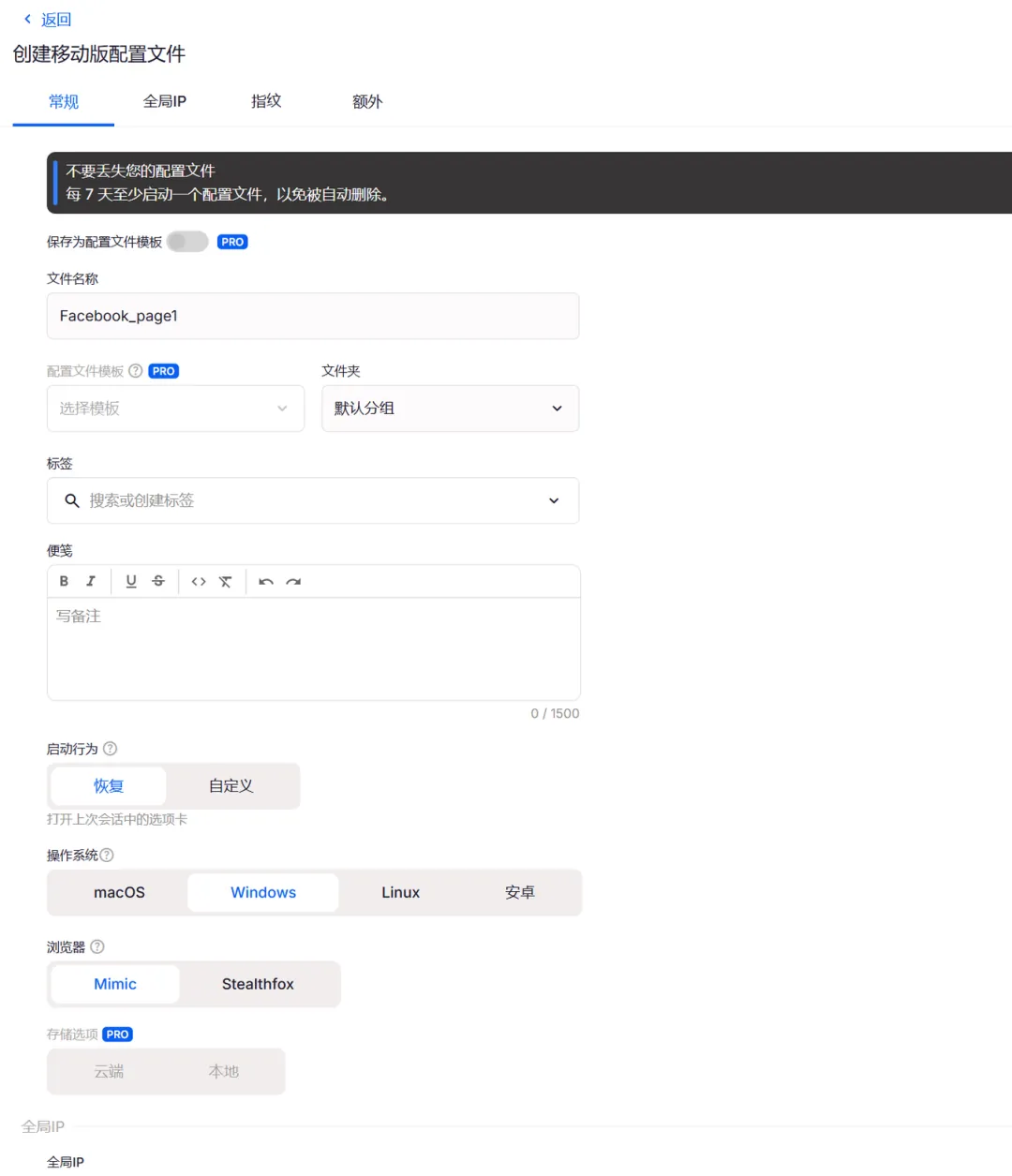
Creating a profile: the operating system and the Mimic / Stealthfox engine are both tabs you switch directly
04 Pricing: there’s a free plan now
Multilogin officially adjusted its pricing on July 31:
Free forever plan: 5 profiles, with cloud phones and browser profiles both counted within those 5; it comes with 200MB of global IP traffic + 30 minutes of cloud phone time, both one-time allowances.
No card required, no expiry date; the only requirement is to launch a profile at least once every 7 days, otherwise it gets automatically reclaimed. API access and team seats are not part of the free plan.
Paid plans: from $7.08/month, with the number of profiles, global IP traffic and cloud phone time bundled by tier.
05 How to get started
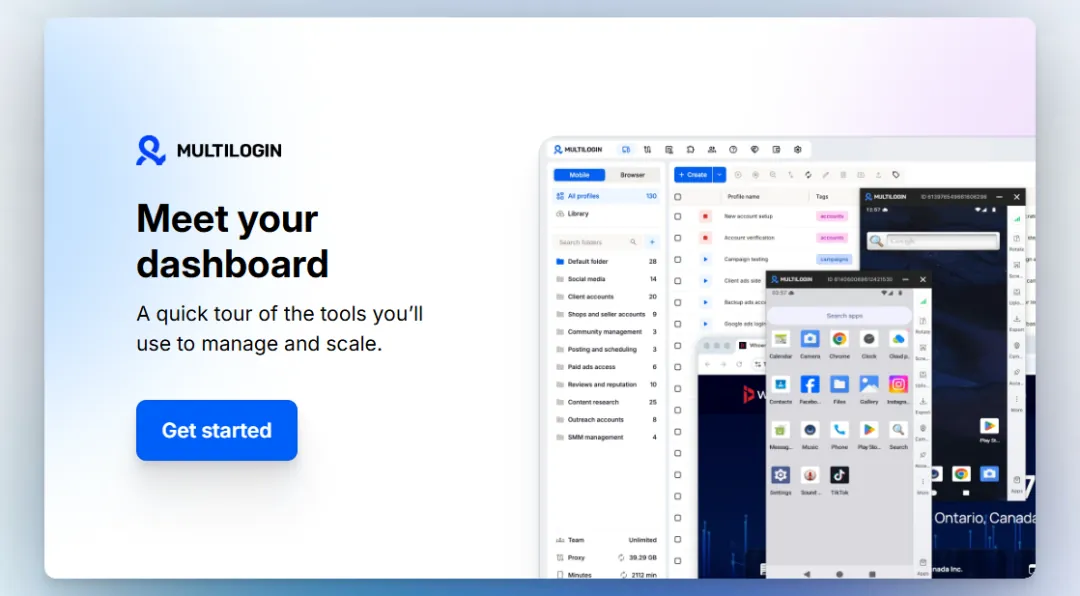
The welcome page after sign-up: follow the guide and you can build your first environment in five minutes
Onboarding tips: stick with the default settings, import cookies before important actions to build up a usage history, browse slowly for the first few days to warm up, and only then move on to heavy use.
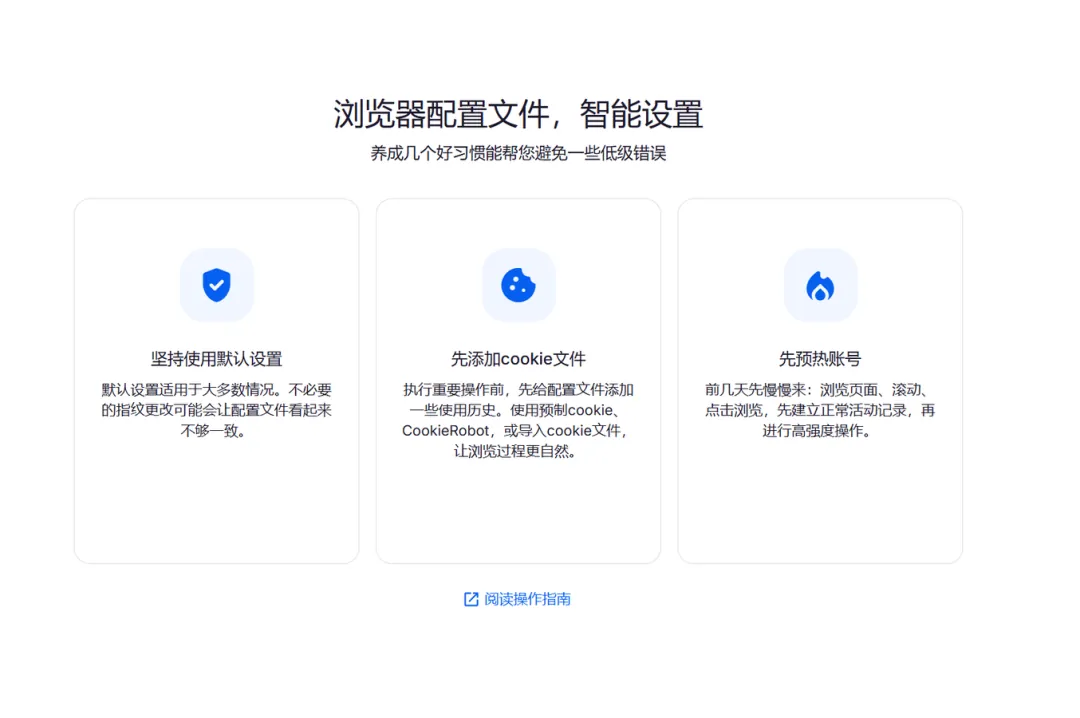
The official onboarding guide’s own words: default settings, import cookies first, warm the account up first
The order I suggest: use the free 5 profiles to walk through your workflow, create an environment, choose the GEO, test the IP with one click, log in an unimportant account and watch it for a few days; if all is well, you can start running ads.
Direct sign-up: Multilogin sign-up link
New articles and quick notes from Peter.