 Peter Founder
2026 Domain Parking Guide: Still Works After Google's Exit

Domain Parking
Hi, I’m Peter.
Today I’m introducing another way to play as a publisher: domain parking. What it is, whether you can still do it now, and how, all explained in this one post.
01 What is domain parking
In media buying we buy traffic. Domain parking is the reverse: you sell traffic. You have idle domains that cost you only the yearly renewal, but people still open them, and those visits can be sold to advertisers.
It used to run mainly on Google. The parked page carried a row of Google ads, and when a visitor clicked, the domain owner got a cut. Starting in 2024, Google gradually pulled those ads, parking revenue shrank sharply, and the veteran platform Bodis shut down this January too.
What has grown now is direct redirect: when someone opens a parked, expired or misspelled domain, they are sent straight to a related advertiser offer, and the advertiser pays per click. For example, RollerAds sells exactly this kind of traffic with Direct Click.
So can you still do it? Yes, it’s just that not every platform can handle this traffic. One example on RollerAds: a .ws domain bought for $5.95 brought in a steady $7 a month once connected, so it paid for itself in the first month. The volume isn’t big, but once it’s connected you don’t have to watch it.
02 Step one: submit an application
Open your own publisher dashboard. It already has a Chinese interface, so just switch the language at the top right. There’s a new Domain Parking entry under Sites, and on an account that hasn’t been enabled, clicking it brings up a review application first.
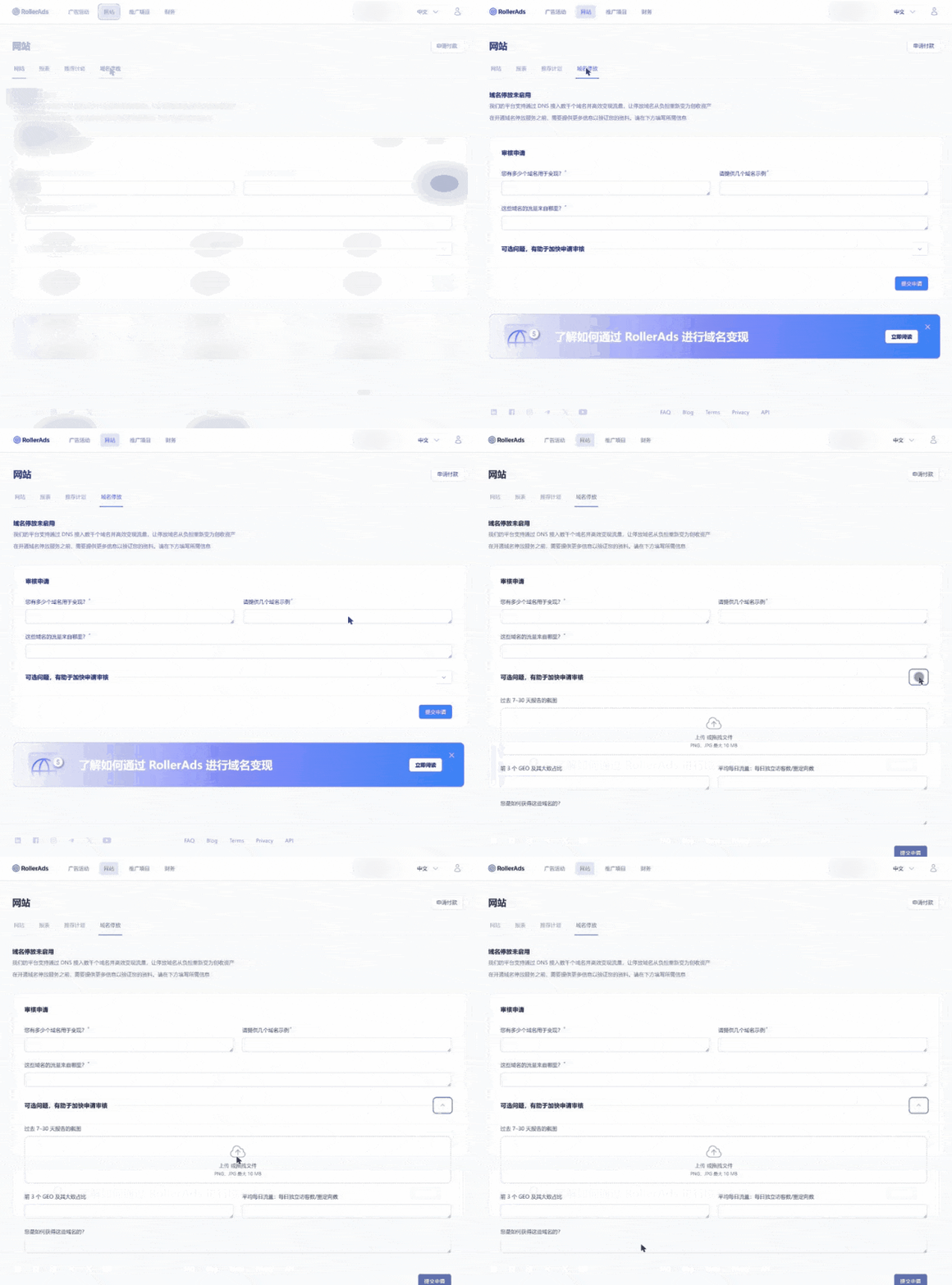
RollerAds publisher dashboard → Domain Parking
Only three questions are required: how many domains you have, a few examples, and where the traffic comes from.
Below that are four optional ones: a report screenshot for the last 7 to 30 days, the share of your top three GEOs, how many unique visitors or redirects you get per day, and how you acquired the domains. The page says filling them in speeds up the review, so if you have the data, include it.
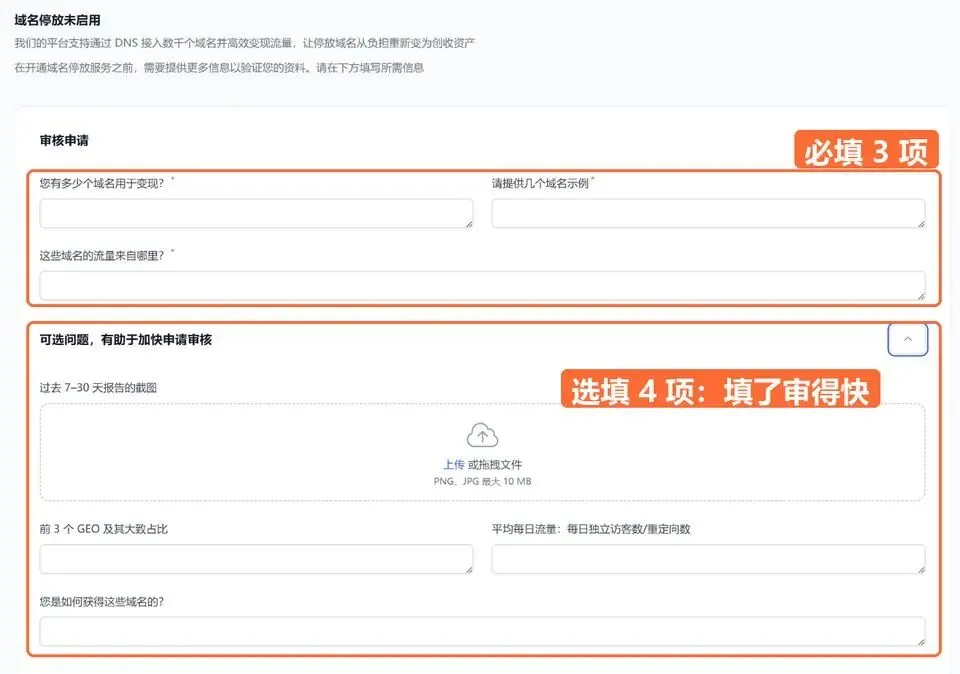
The application form: 3 required fields, 4 optional
You only apply once. My advice is not to move all your domains over at the start; pick a representative group and test with that.
03 Once approved, how to connect
There are three ways to connect: change the NS, add a CNAME, or use the API, and you can connect any number of domains at once. Changing the NS is the easiest: at your domain registrar, enter the two NS the platform gives you, and it’s connected within a few hours. If you need SSL, the platform handles it.
Then click Create domains under Domain Parking to add domains. You can paste 200 at a time by hand, or upload a txt file for up to 50,000 at once. You don’t need to clean the list first: it removes line breaks, spaces and duplicates itself, and NS are assigned automatically, which is quite convenient.
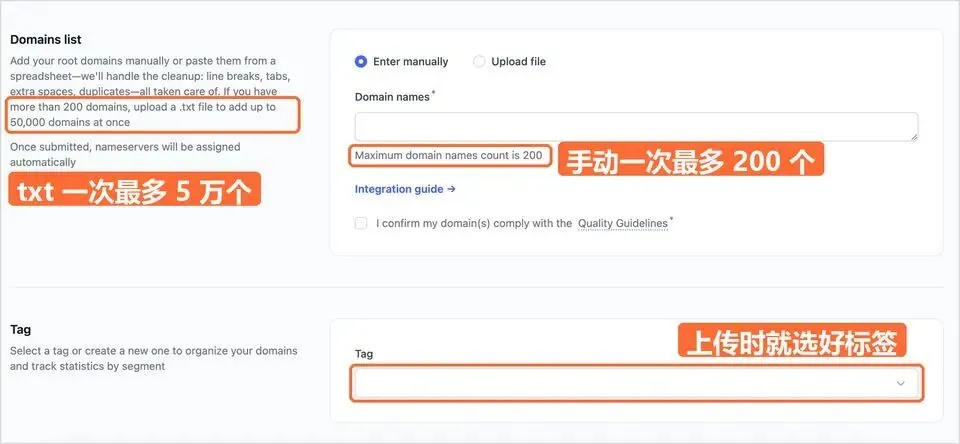
Adding domains and choosing a tag
Every new domain goes through a short review before it goes live. Before you submit, check it against the platform’s Quality Guidelines.
04 After it’s connected, what the platform does for you
RollerAds’ China business manager Xinyi mentioned in an earlier interview that every domain has its own category, keywords, history and audience. A new domain is first assigned to an IAB category based on context and keywords, such as hobbies, sports, or health and fitness, and then matched with relevant ads.
IAB categories are the common standard for classifying online content by topic. Ads mostly come from content-safe categories, including e-commerce.
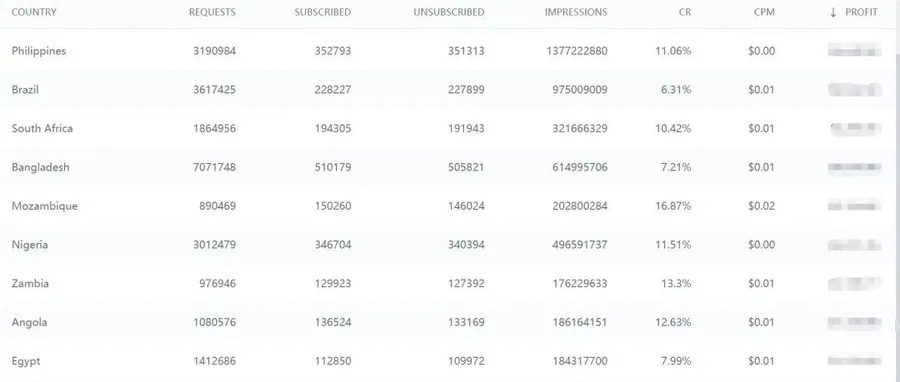
For data, the dashboard shows CR, RPM and profit, which you can split by GEO and by OS, and it updates every day.
With many domains, you need to look at them in groups. You can remember ten domains, but not five hundred. RollerAds’ answer is to put a tag on each domain. A domain can only carry one tag, so first think about what question you ask most often, then group by that:
| Group by | Tag examples | What it shows |
|---|---|---|
| Topic | Travel, Finance, Shopping | Which topics earn the most |
| Region | LATAM, Europe, Southeast Asia | Performance by region |
| Where it was bought | Auction, Drop-catch, Private sale | Which source is worth it |
| Purchase batch | 2026-03, 2026-07 | Whether this batch was worth buying |
| Plan | Hold, Sell, Develop | Compare the ones to sell with the ones to keep |
Select domains in the list and click Manage tags to tag them in bulk, up to 500 at a time.
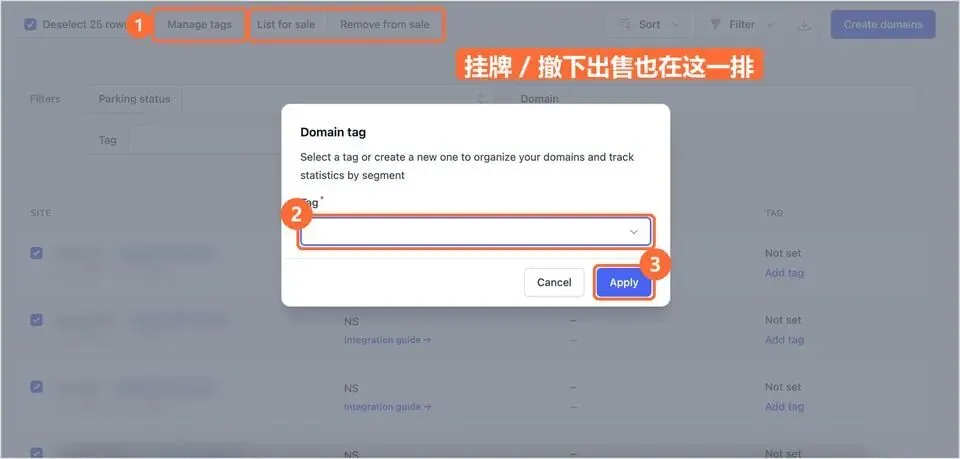
Bulk tagging
Add the Tag filter in the report and you see only that group’s daily impressions, CPM and profit. You can stack a country on top as well.
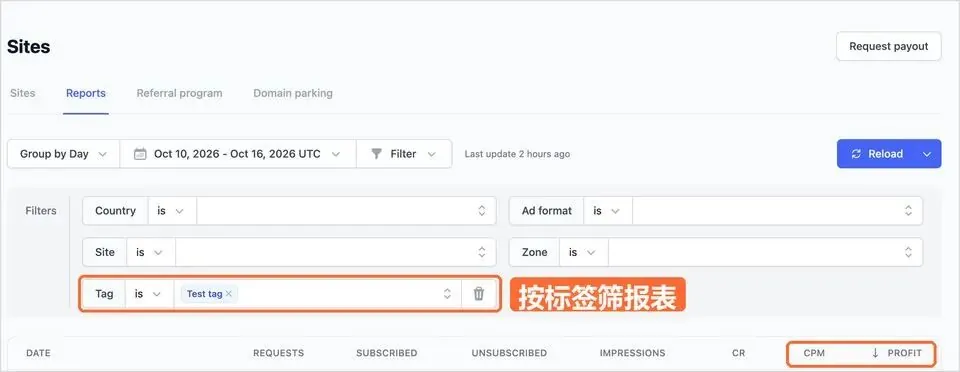
Report filtered by tag
It’s the same logic as splitting data when we run a campaign: don’t stare at items one by one, look at a group as a whole, and if a group drops, take the whole group to your account manager to dig into the cause.
If there are domains you don’t want to keep, you can list them for sale in the dashboard. While listed they keep earning, until they’re sold. At that point the data above is a good way to show buyers how its traffic performs.
05 My take
I have to say, Domain traffic quality used to be very good. I mentioned it often in my early articles: it was especially good for running Sweepstakes and Dating offers. There aren’t many places left to buy this volume now.
If you have idle domains, you might try the domain parking RollerAds has just launched. Connect a small batch first, watch the data for a few days, then decide whether to renew or sell.
Translated from the Chinese original published on 2026.11.05.