 Peter Founder
Simple Kuma: The Open-Source Ad Tracker That Cut My Monthly Bill

Kuma Tracker
Hi, I’m Peter.
I talked before about building my own simple tracker. A community member left a comment: there’s a ready-made open-source base, just install it, reskin it and add features.
I did exactly that. After switching over, the tracker line on my monthly bill is basically gone.
Spend 5 minutes reading this and you can build your own too.
01 What Simple Kuma is
A tracker written by a developer who does affiliate marketing himself. The repository is kumatrk/initialrelease on GitHub, open source under AGPL-3.0.
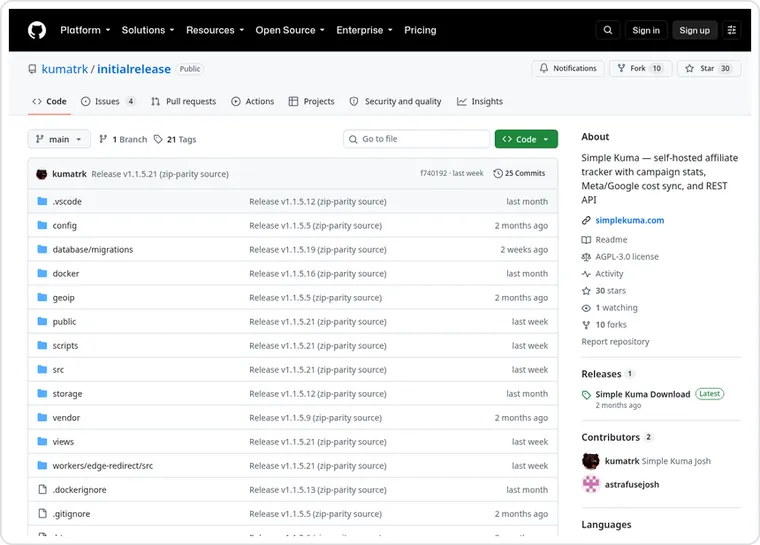
The repository page. Check the page for the current star count
Free, no click cap, no limit on the number of domains
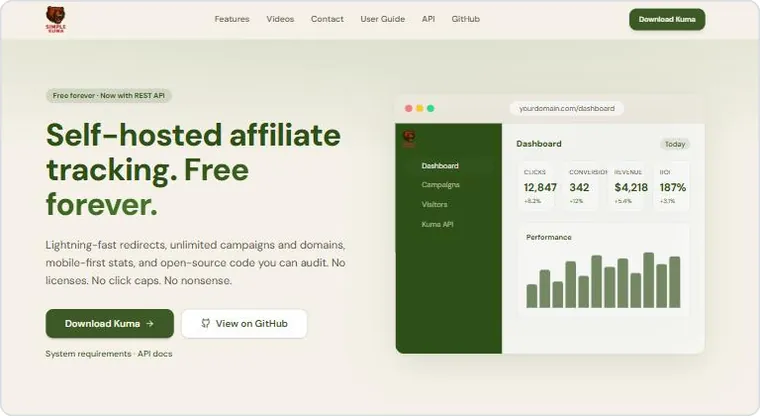
Official home page: Free forever
The features are basically all there
Three layers, campaign, lander and offer, with weighted splitting;
Traffic source templates: Meta, Google, TikTok, Zeropark, Taboola, MGID, RollerAds, RichAds can be picked directly, and you can define your own;
Meta and Google spend can be synced in automatically through their APIs;
Postback receiving and logs, click lookup, redirectless mode;
Reports drill down by date, country and device, with the GeoIP database built in;
A REST API, so an Agent can read the data directly.
The stack is PHP plus MySQL. The release I tested was 1.1.5.21, published at the end of July 2026. It keeps getting updated: as of October 29, 2026 the GitHub release page lists 1.1.5.28.
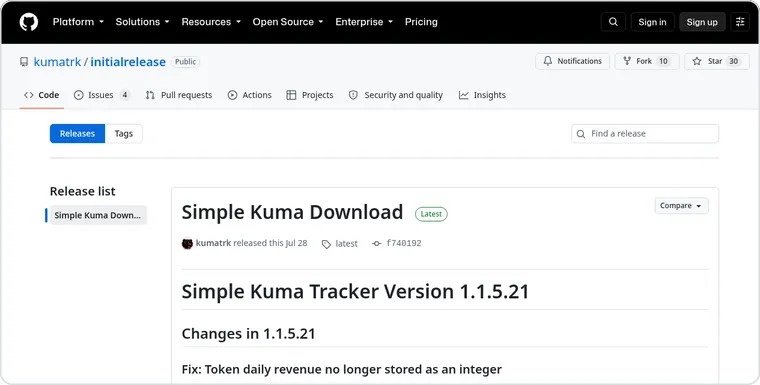
Release download entry. Check the page for the current version
On GitHub it’s easy to overlook: only a few dozen stars, maintained mainly by the author, very new, and not many people use it yet.
The upside is that you don’t start from 0. After installation, hand it to an Agent to monitor and maintain.
02 Three things to prepare before you start
A machine
A VPS or shared hosting, either is fine; something around $10 a month is enough. It needs to run PHP 8.2 or above and MySQL. If they’re not installed, the Agent will install them along the way.
A domain
Dedicated to tracking; don’t share one with your landing pages. If the tracking domain gets flagged, the landing pages suffer with it. That’s a trap.
An Agent
CC (Claude Code), Codex, Cursor, that sort of thing; anything that can run commands on your machine will do. Every step below is a paragraph you hand to it.
The three together cost about a few cups of coffee a month.
03 Step one, install: hand it to the Agent
Installation follows the official release: download the zip, put it on the server, point the directory, run the wizard. Nothing mysterious about this step; what usually gets stuck is the domain, SSL or database permissions.
So don’t click through it yourself. Hand it to the Agent: it clones, creates the database, runs the wizard, and you only look at the result.
Ask
Send it the repository address and the requirements, verbatim:
Prompt for the AGENT
Install github.com/kumatrk/initialrelease on this machine.
Requirements: create a database in MySQL, point the Web root at the public directory, run through the install.php wizard, name the admin account XXX, and when it’s done give me the back-end address and login details.
Fix any errors along the way yourself; ask me only if you can’t.
Wait
It will clone the repository, create the database, start the service, then open install.php and fill it in step by step like a person would. One trap in the middle: the wizard requires the tracking domain to be https, so get the domain’s SSL sorted first, or let it install with a temporary domain and change it later.
Log in
Once installed, log in. It looks like this.
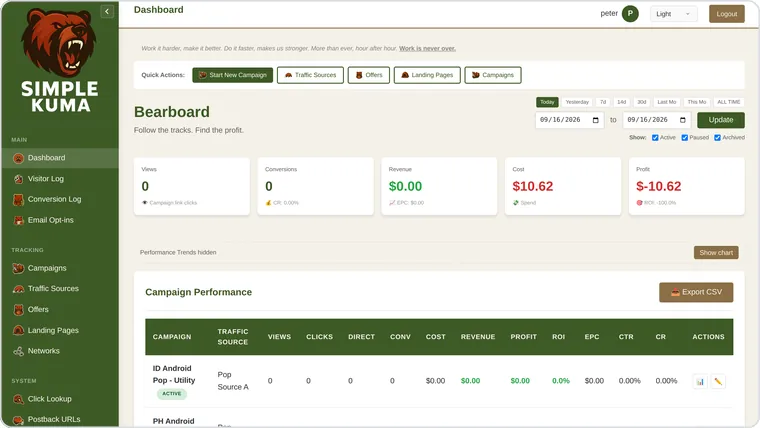
The page after installing and logging in
From getting the repository address to logging into the back end: ten minutes.
04 Step two, get the first click through
Installed is just an empty shell. To make it run, you have to chain three things together, traffic source, offer and campaign, and keep the order straight.
Traffic source
In Traffic Sources, click Create from Template and pick the one you run.
The tokens are pre-filled; just make sure the placeholders for zone, cost and click id match the platform’s side.
If yours isn’t there, choose custom and fill in the tokens from the platform’s docs, or let the Agent complete it for you.
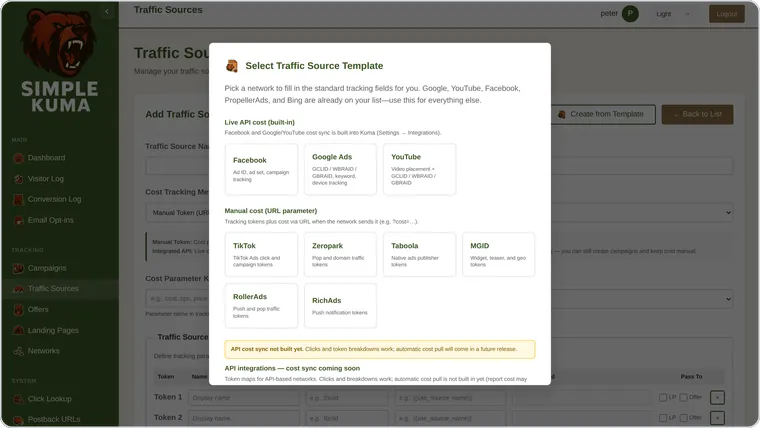
Traffic source templates: pick one, and the tokens are filled in automatically.
Offer
Enter the link the network gave you and stuff the click id placeholder into it. For payout, enter a fixed value or leave it to be passed back by postback.
Campaign
There’s a five-step wizard. Name it, pick the traffic source, attach the lander and offer, set weights, confirm, and out comes a campaign URL. That URL goes into the ad on the traffic platform.
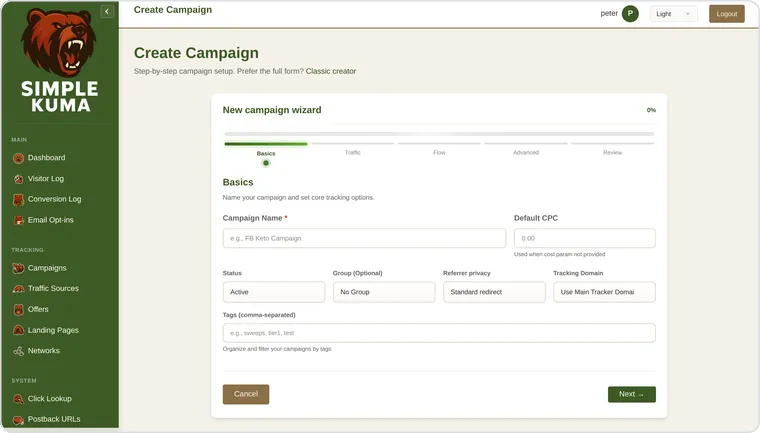
Campaign wizard, five steps to a link
Postback
The Postback URLs page has one ready-made; copy it into the network’s back end. Whenever the network has a conversion, it fires this URL, and a new row appears on Kuma’s side.
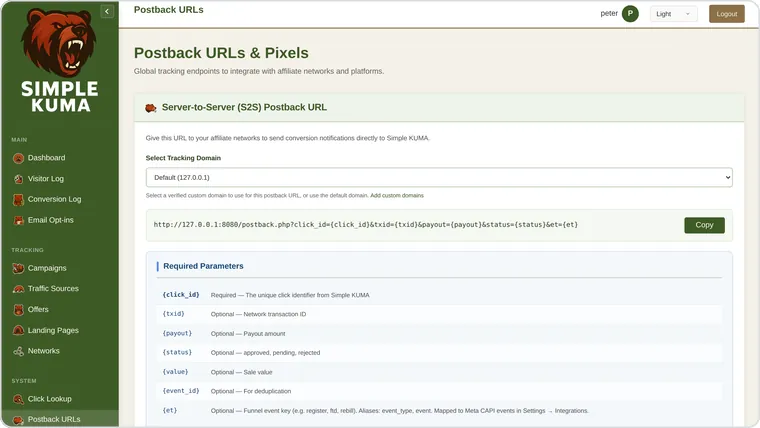
Postback URL, copy it to the network.
Click once
Click the campaign URL yourself once, then go back to the back end and look at the Visitor Log.
IP, country, device, source, which offer it landed on, one row per click. Then fire a postback by hand, the Conversion Log gains a row, and the chain is connected.
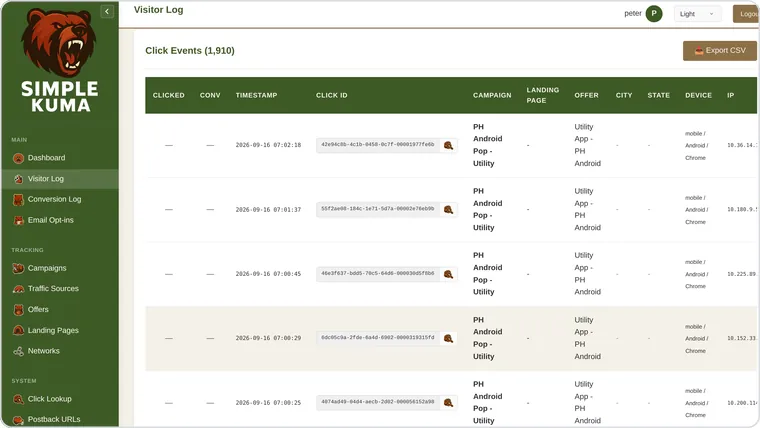
Visitor Log, one row per click
At this point, an open-source tracker is already running. The difference from SaaS is that the data is in your own hands, and nobody charges you by impressions or number of domains anymore.
05 Step three, add your own things on top
This is the whole reason to choose open source over buying SaaS.
SaaS suits people who pay for peace of mind; open source suits people who like to tinker and care about their data and custom features.
Reskin first, to test the water
Kuma’s themes are done by the book: a theme is one CSS variable pack plus one line of registration plus one logo, no page changes needed. It’s the ideal thing to practice on, and if you break it, the tracking is unaffected.
Prompt for the AGENT
Add a theme called Flux to this tracker.
Background #0E0F13, primary color #FF6B35, body text light gray. Write the variable pack in the format of its existing dark theme, register it in ThemeRegistry, and swap the logo for mine.
Don’t touch the code of any other page.
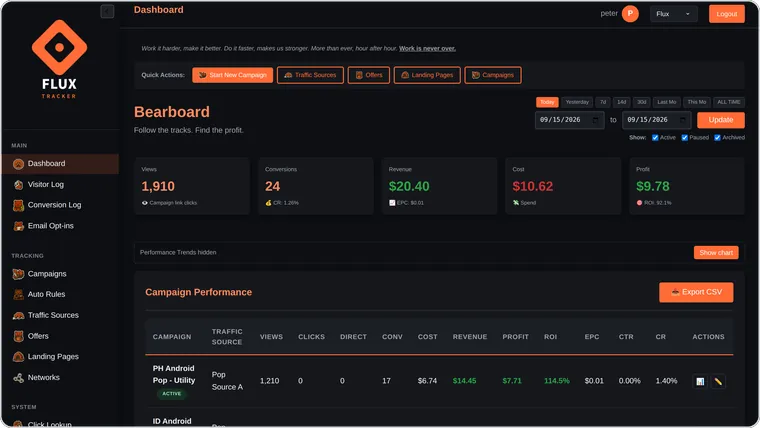
Switch it from the top-right drop-down and the whole site changes color. Under ten minutes
Then add a feature
Kuma doesn’t make decisions. It knows how much each zone spent and how many conversions it got, but it won’t stop the money-burning ones for you. It doesn’t have this feature, which makes it perfect practice.
How you state the requirement decides whether what gets built is usable.
The boundary conditions matter more than the feature itself: the minimum number of clicks before it counts, no repeat reports for the same zone, what to do after a hit.
Prompt for the AGENT
Add an Auto Rules page to the tracker.
One rule = aggregate clicks, spend and conversions over the last N hours by a token (zone or subid, either works), set a threshold, and set a minimum click count to avoid misjudging on small samples.
Two actions on a hit: flag only, or flag plus POST a webhook, with a payload carrying campaign, zone, clicks, conversions and spend.
Write the evaluation logic as a cron script; the same zone must not be reported twice within the same window.
Page style consistent with the existing pages, with a list of hit records.
The Agent touched five places: a migration file that creates the table, one page, one cron script, and one line each in the routes and the sidebar, 300-odd lines of code. Here’s what it built.
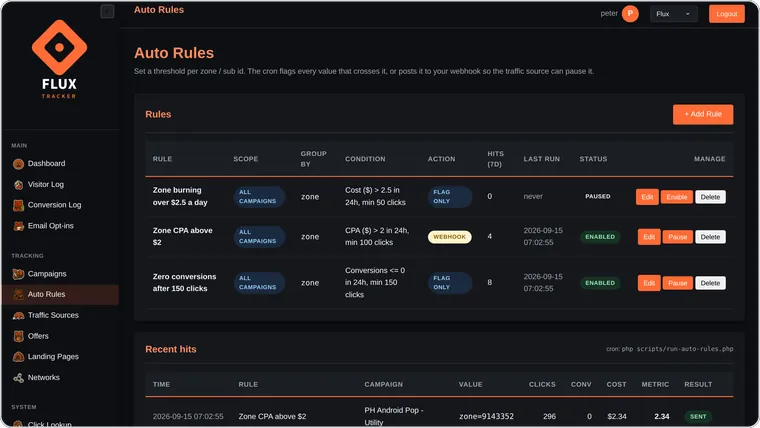
The rules list, with hit records below
On a hit, the webhook sends out a piece of JSON, and the receiving end calls the traffic source’s API to stop the zone. The tracker judges, the script executes, and the loop is closed.
Whatever you want to add later works the same way. State the requirement clearly, and it’s like stacking up an object, watching it come together piece by piece from the base.
06 A few thoughts
Back up the database regularly.
Have the Agent add a daily export cron and throw it into object storage. The price of holding your own data is that if you lose it, nobody compensates you.
The Agent changes code fast, but that doesn’t mean you can relax on reconciliation.
Postbacks, spend, profit: you still have to look at them clearly yourself. Don’t hand everything on the money path over to automation in one go.
This suits people willing to self-host who genuinely need customization. If you don’t want to maintain it, sticking with a mature commercial tracker is less hassle.
Finally, I hope this article helps you!
New articles and quick notes from Peter.