 Peter Founder
PropellerAds NIKO 3.0: Now in Anthropic's Connector Directory
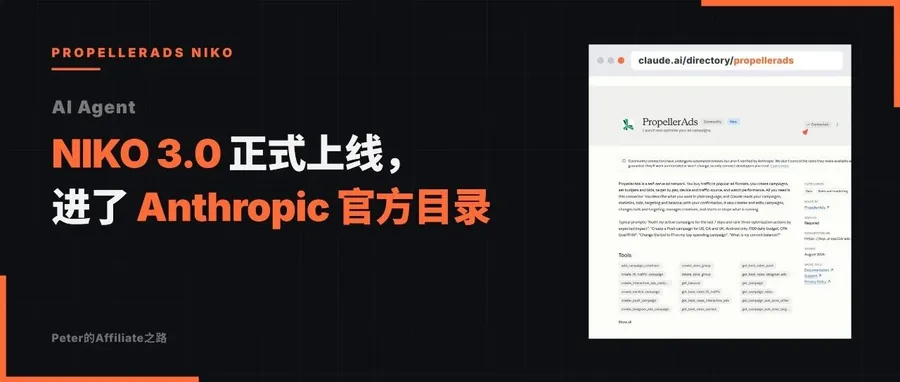
NIKO 3.0
Hi, I’m Peter.
I wrote an introduction to PropellerAds NIKO 2.0 earlier: one chat box to run your whole media buying operation.
That was right in the days after the promo codes went out. Quite a few community members opened accounts and asked me how to run their first campaign, so I took the chance to walk through NIKO.
That post’s conclusion was one sentence: create, edit, monitor, the whole process done in one chat window, and it can manage all five formats. I positioned it as a copilot for running campaigns entirely by conversation.
Recently they swapped out this copilot’s entire engine, upgrading to 3.0, rewritten from the first line of code to the last, with none of the existing capabilities lost.
One more thing: it now plugs directly into Anthropic. The MCP Connector is in the official connector directory.
Two moves in the same month. Let’s look at what changed.
01 What changed in the engine: I went through it
In one sentence: it used to be a chat box; now it’s a workbench.
Broken down:
You can open several sessions now, and all the history is saved.
NIKO used to have just one chat window. Push in LATAM, a Telegram Ads experiment, a quick rate lookup, all crammed into one endless chat. Digging through the history was like archaeology.
Now it’s one session per line of work, auto-named. Open it the next day and keep chatting; the context is still there.
Before touching a campaign it shows you first: whatever parameters are about to change get laid out as a card in front of you, and it only executes once you approve.
Those of you who read the MCP post know my rule: the AI is not allowed to decide on its own.
Permissions leveled with the dashboard: the old version could only touch part of the platform’s tools; 3.0 gets the full set.
Whatever the dashboard can do, in theory the chat box can do too. For the first time the copilot’s capability boundary lines up with the dashboard.
Answers stream as they’re generated: word by word in real time, auto-resuming after a dropped connection; you can thumbs-up or thumbs-down an answer. The Knowledge Base is built right into the chat too, so platform rules can be looked up as you ask.
Not one old chat is lost: they become read-only and you can go back and browse any time. New conversations start on 3.0.
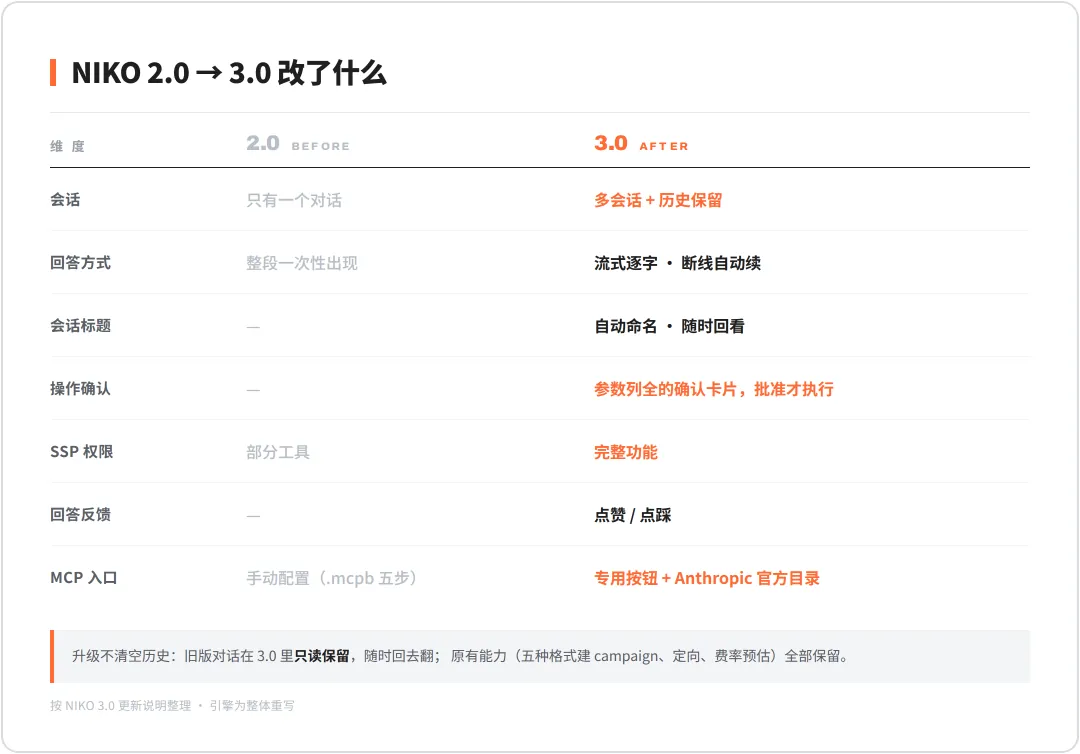
NIKO 2.0 → 3.0
On multi-session, a couple more words.
At the end of the post earlier this month I gave a way to use it: tell it your vertical, your funnel structure, your target cost per conversion. An Agent’s ceiling depends on the context you feed it.
That’s exactly where the old version fell short. With only one chat window, all the context you fed in got stirred into one pot; the more you fed it, the messier it got.
3.0 stores memory separately per session: one line of business, one set of context. That feeding method only truly works starting with this version.
02 The Anthropic connector opens up
I use Claude heavily in my daily media buying, so this one is the key point.
PropellerAds’ MCP Connector is now in Anthropic’s official connector directory.
For example: connecting MCP before meant downloading a .mcpb file, dragging it into Claude Desktop and filling in the config; my tutorial had five steps. Now open claude.ai/directory/propellerads, click connect, authorize, done.
The screenshot below is the connection status on my own account.
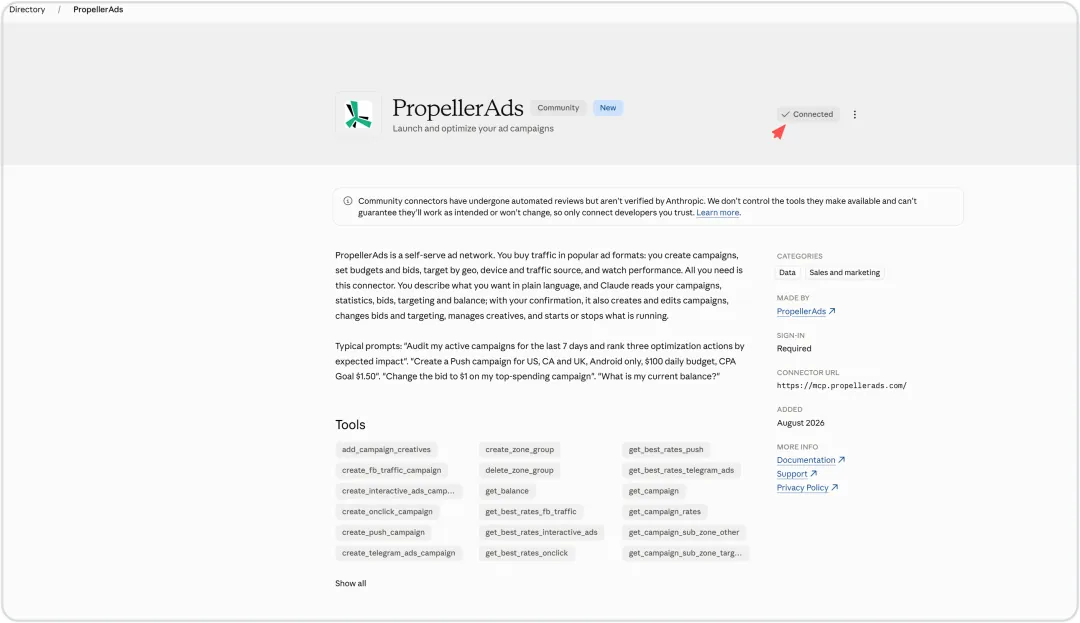
Tested: my Claude is already connected to PropellerAds
An ad platform putting its own connector into Anthropic’s directory is a signal in itself: they’re building the AI track as a main road, not bolting on a feature to keep up with the trend.
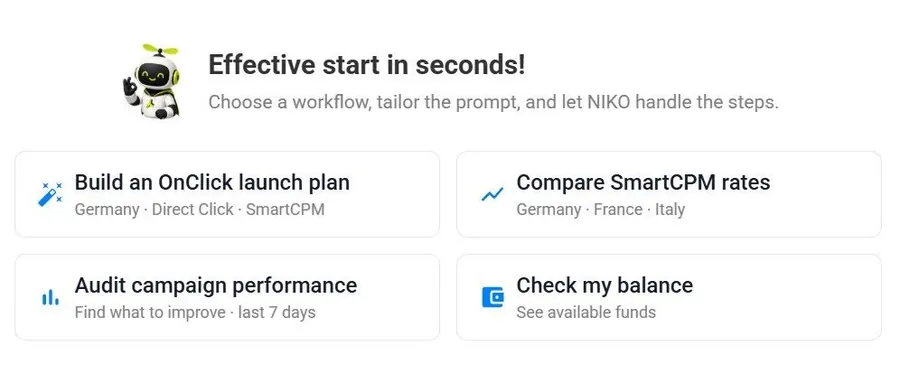
While I’m at it, let me make the division of labor between the two clear: if you don’t want to fiddle, use NIKO. Log into the dashboard and chat; creating campaigns in all five formats (Push, Onclick, Telegram Ads, Interactive, Paid Social), setting targeting and checking data all work. If you want it in your own workflow, use MCP.
I use both. They run on the same underlying architecture: one engine, two entrances.
03 My take
3.0 is rolling out gradually. If you don’t see the Sessions panel in your account yet, be patient. With that, MCP and the built-in Agent are both fully open.
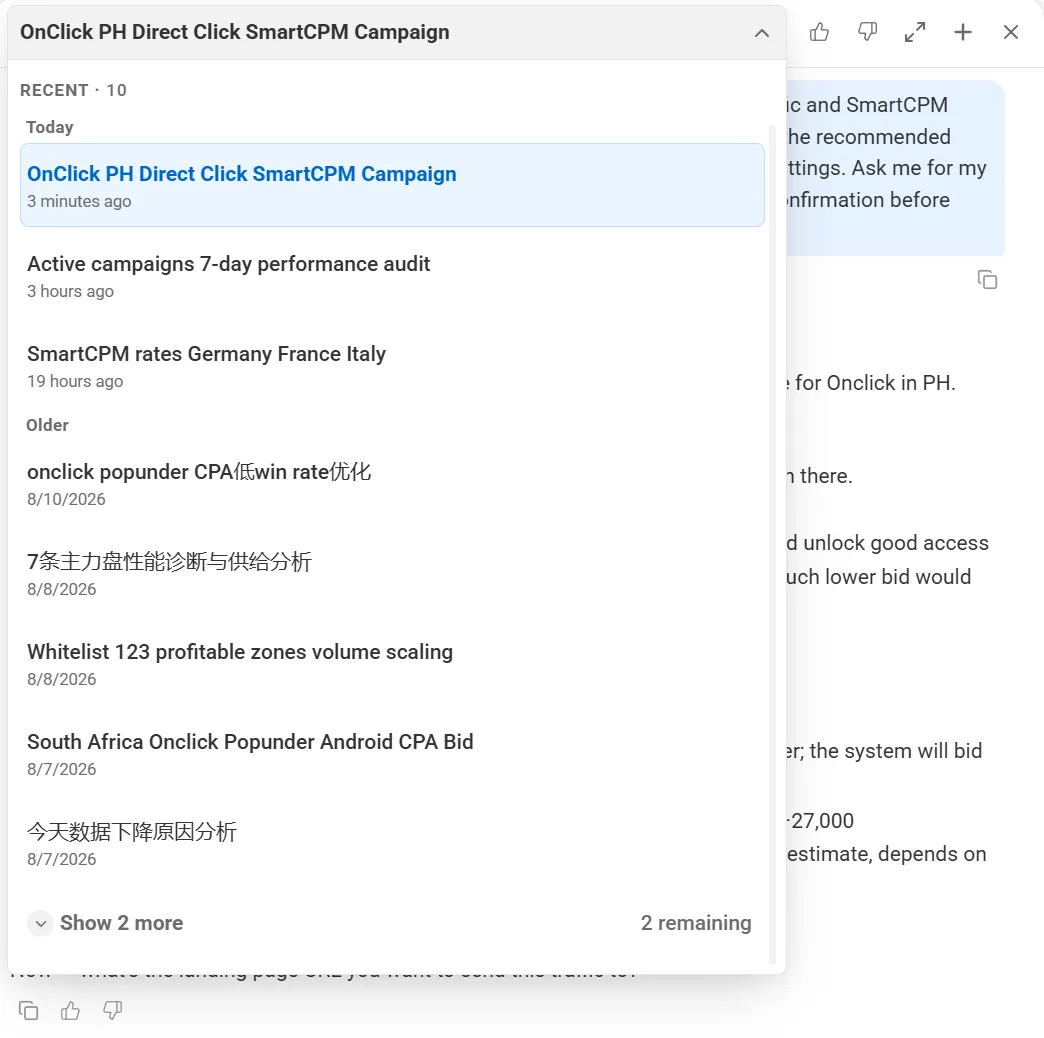
The NIKO multi-session panel
From now on, when we run ads on PA and hit a problem we can’t figure out, it can be solved easily. As their product lead Ilia Pasiuk said:
We rebuilt NIKO AI because advertisers started treating it as a daily work tool. And a tool used daily must, first of all, feel instant enough. So we focused on optimizing the experience advertisers feel directly every time they open the chat: speed, continuity and reliable execution.
If you’re interested after reading this, open your account and have a chat with NIKO 3.0 about your ad optimization plan.
New articles and quick notes from Peter.