 Peter Founder
ProPush MCP Tested: One Prompt Pulls Four Days of Revenue
ProPush MCP
Hi, I’m Peter.
Last week I covered the PropellerAds MCP. Today it’s another one: the ProPush MCP.
Buying and monetization: both sides can now be managed from a chat window.
As usual, I connected it and ran through it myself, from setup to pulling real data. Here’s the process in detail.
01 First, a quick note: what ProPush does
In one sentence: get paid one more time on the same traffic.
Put its Smart Tag on the landing pages you’re running, and visitors who subscribe to push, or the bounce traffic caught by TrafficBack, become an extra layer of revenue.
For those of us with a pile of LPs, it earns from the part that would have been wasted anyway. That’s why it has a solid place in the community.
02 Hands-on setup: under two minutes start to finish
It’s a remote service; there is nothing to download or install. That’s the biggest difference from the many MCPs that need an environment set up and dependencies installed. The source is a single address:
How you add it depends on the tool you use. In Claude Code (CC), add one line in the terminal:
claude mcp add --transport http propush https://mcp.propush.meClaude’s web and desktop apps are even simpler: Settings → Connectors → Add custom connector, and paste in that URL. ChatGPT is the same, adding the address in its connector settings.
The official site at mcp.propush.me has illustrated setup guides for both; just follow the clicks.
After adding it I ran /mcp. CC said this MCP needs authentication, then opened the browser on its own:
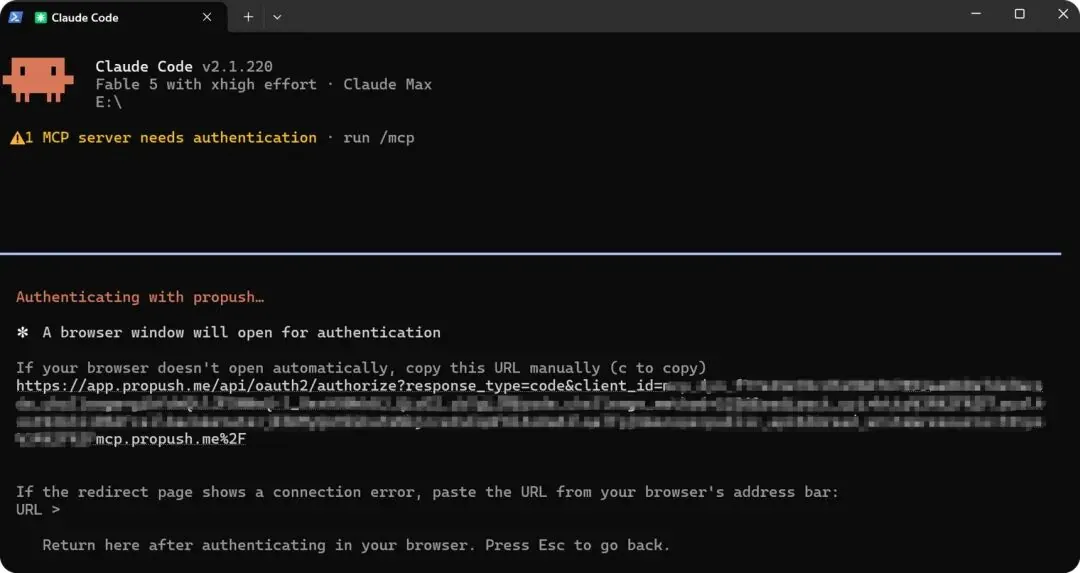
Claude Code says the MCP needs authentication and opens the browser for OAuth
In the browser it’s a standard OAuth authorization dialog.
Worth pausing a second on the permissions line: it requests only one thing, to call the public API on your behalf.
There’s also a yellow notice at the top of the dialog asking you to confirm you trust the app requesting authorization; at the bottom you have to tick ProPush’s MCP legal terms before the Allow button becomes clickable.
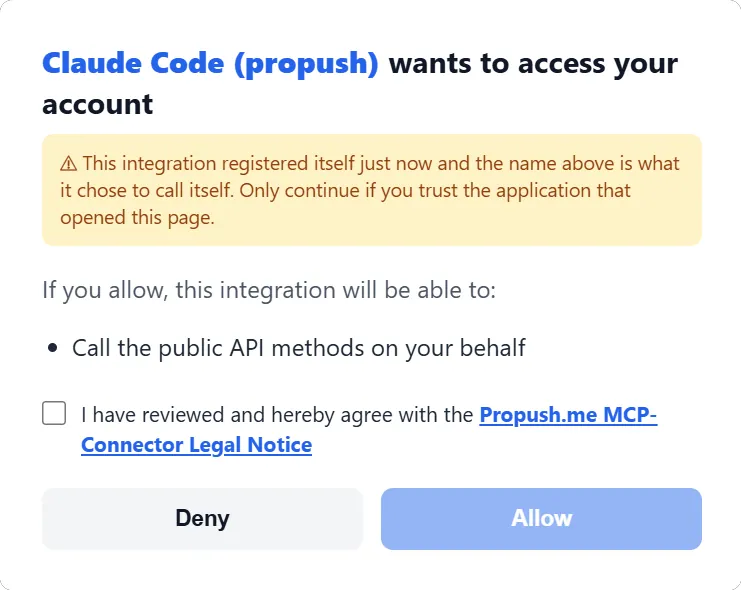
Only one permission requested; tick the terms and click Allow
After clicking Allow, the browser shows a confirmation page saying you can close the tab and go back to CC:
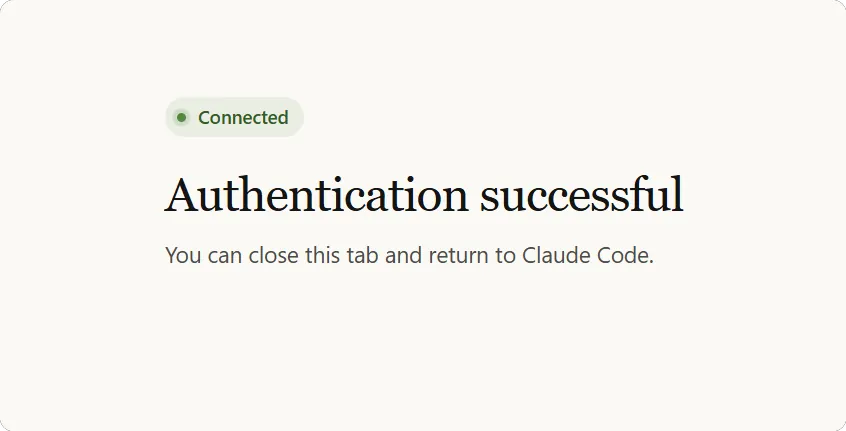
Once you see Connected, the connection is done
Back in the terminal, the tools are already mounted; just start asking. The whole thing timed at under two minutes, and I never typed a password once. It uses authorization, not handing over your account.
03 My first request after connecting: build me a dashboard
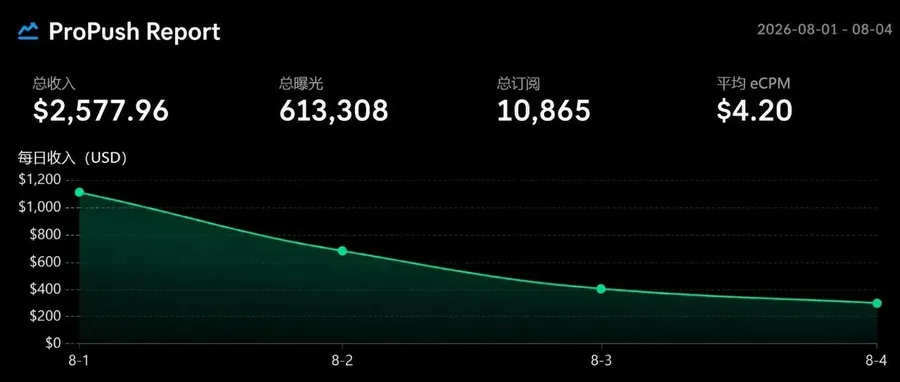
The first thing I asked after connecting: pull the data from August 1 to 4 and make a dashboard.
It called the API, fetched the data, and drew this while it was at it:
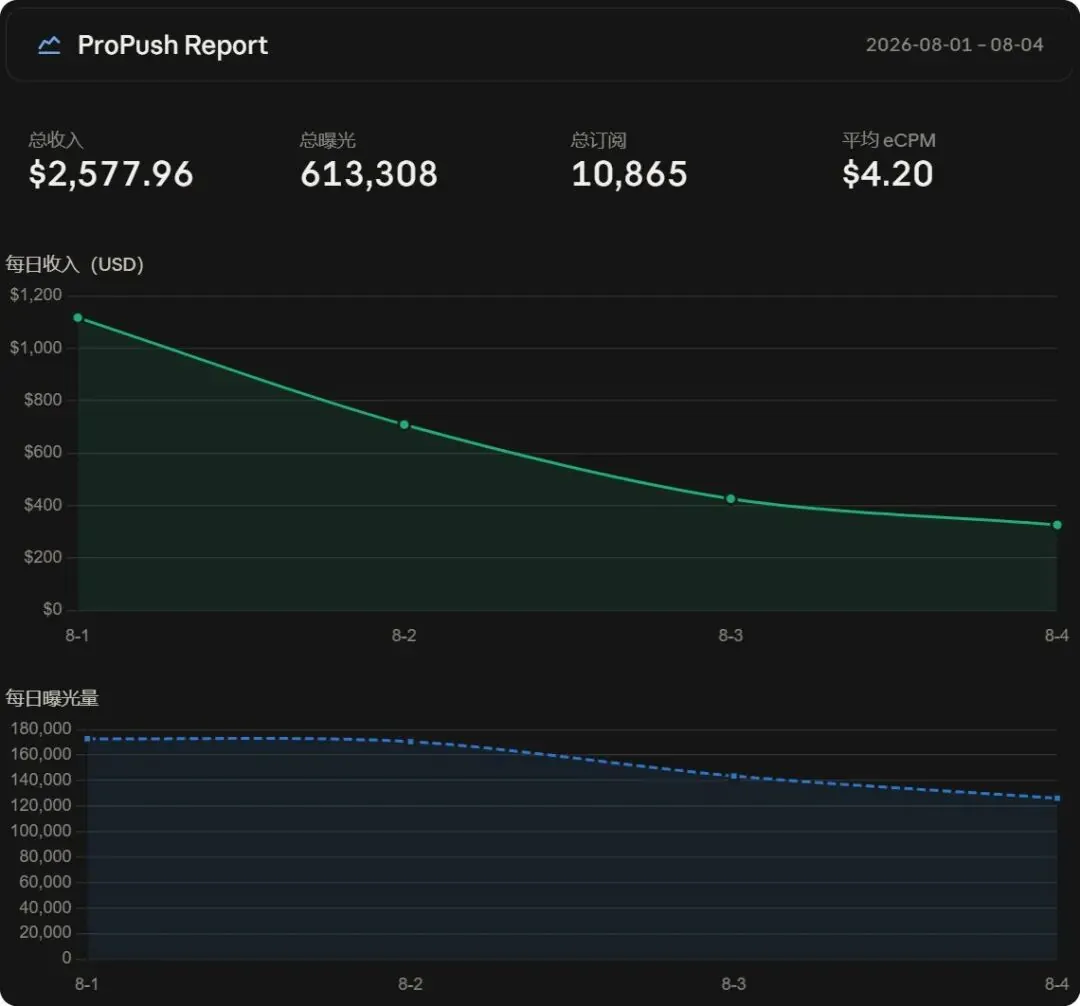
Four days: $2,577.96, 610K impressions, 10,865 subscriptions, eCPM $4.20. The output of a single sentence.
The interesting part: the dashboard shoved the problem right in my face. Daily revenue fell four days in a row, sliding from $1,100 to $330, with impressions dropping in step.
Before, seeing this I’d have to switch back to the platform dashboard and dig through it layer by layer, by GEO, by zone. Now I just follow up in the same conversation: “which GEO dropped?”
That’s the real point of not switching to the back end: between spotting a problem and dealing with it there’s no “change page” step. The context is always there.
04 What else it can do
By category, here’s what it can do:
| Category | What it can do |
|---|---|
| Check the money | Current USD earnings balance and account info; it even reports your API permission level and which features are enabled |
| Pull reports | A full report engine: slice and combine by date, GEO, zone, site, OS and affiliate any way you like; impressions, subscriptions, revenue and unsubscribes are all there |
| Watch trends | A GEO weekly summary: which countries swung noticeably week over week, with no need to build the report yourself |
| Manage zones | List sites and zones, and create a new TrafficBack (onclick) zone directly |
| Set postbacks | Set, replace or delete one at a time, or apply to a batch of zones at once; batch operations are all-or-nothing, so it never stops halfway |
| Landing page builder | List every landing constructor under your account, and pull up the configuration details of any one of them |
| Look up docs | Ask and get an answer, searching the official Help Center and the landing page builder tutorials directly |
05 My take
Put this piece next to last week’s and the direction is clear: platforms are moving their back ends, one by one, into the chat window.
A solo operator using automation can reach a scale that used to take a team. That’s exactly what I’ve been doing these past two years, and now the platforms are handing over the ladder too. Once connected, you can start with this:
Starter prompt
Pull my ProPush revenue for the last 7 days grouped by GEO × zone, flag the countries with a noticeable week-over-week swing; then check which zones have no postback set and give me a list.
Sign-up link
Income and ROI figures here are past results of one person or case, not typical outcomes. Paid traffic can lose money; start with a small test budget.
New articles and quick notes from Peter.